Category: Knowledge

  • Bing AI Performance: How to Read Citations, Grounding Queries, and Page Trends

    Bing AI Performance: How to Read Citations, Grounding Queries, and Page Trends

    A content lead opens Bing Webmaster Tools after a product launch and sees citations rising. The chart looks encouraging, but it does not answer the question waiting in the next meeting: did the launch improve visibility, or did Microsoft simply surface more pages for unrelated requests? A citation total can confirm that your site appeared as a source. It cannot, by itself, reveal prominence, recommendation quality, audience fit, or business impact.

    Bing AI Performance becomes useful when you read its metrics as a connected diagnostic system. The report can show where your content participates in Microsoft-powered AI answers, which retrieval phrases led to those citations, and how the pattern changes over time. The work is translating those observations into decisions without assigning meaning the data cannot support.

    Bing AI Performance Measures Source Use, Not Traditional Rankings

    Microsoft introduced the AI Performance report in Bing Webmaster Tools in February 2026. The public preview covers citations across Microsoft Copilot, AI-generated summaries in Bing, and selected partner integrations. Its core unit is not a blue-link position or a click. It is the use of a page as a cited source in a generated answer.

    That distinction changes how you interpret success. A citation means Microsoft displayed your URL as supporting material. It does not tell you whether your brand was recommended, whether the citation appeared early in the answer, or whether the user opened it.

    The report therefore sits between two familiar systems. Search performance tools explain discoverability and visits. Answer-monitoring tools explain what an AI response said, which brands it mentioned, and how those brands were framed. Bing AI Performance supplies first-party evidence that your content participated in the grounding layer.

    Treat it as evidence of source inclusion, not a replacement for rankings, analytics, or answer-level observation.

    Read the Five Core Metrics as Different Layers of Evidence

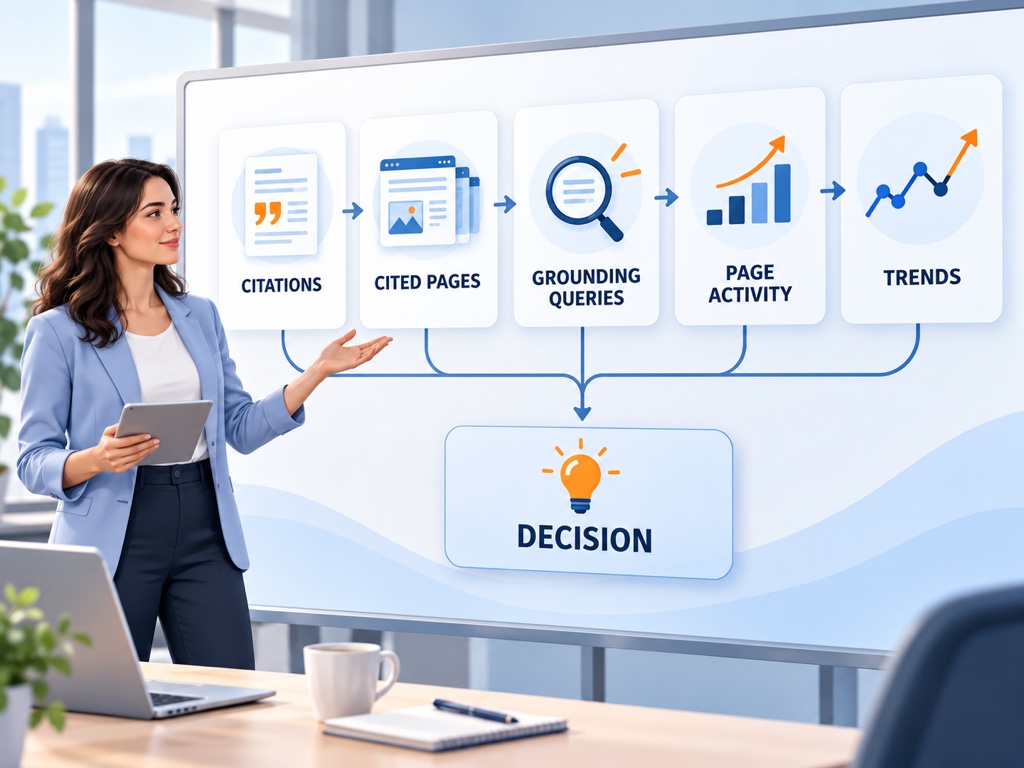
    The dashboard begins with five views: Total Citations, Average Cited Pages, Grounding Queries, Page-Level Citation Activity, and Visibility Trends. Each answers a different operational question.

    Total Citations counts how often sources from your site were displayed in supported AI answers during the selected period. It is the broadest measure of citation activity, but it does not represent unique answers or users.

    Average Cited Pages describes the average number of unique pages from your site cited per day. A rise can indicate broader coverage across your content library, while a flat value paired with rising citations may mean a small set of pages is being reused more frequently.

    Grounding Queries are phrases used during retrieval when your content was referenced. Microsoft describes this data as a sample, so it should guide investigation rather than serve as a complete demand model.

    Page-Level Citation Activity shows which URLs receive citations. It helps separate site-wide growth from one-page concentration, but it does not assign authority or rank to those pages.

    Visibility Trends place citation activity on a timeline. The chart helps you find breakpoints and sustained movement. It cannot identify the cause without additional checks.

    Bing AI Performance metricWhat it directly showsDecision it can supportWhat it does not prove
    Total CitationsDisplayed source citations from your siteWhether citation activity is expanding or contractingUnique users, clicks, recommendations, or rank
    Average Cited PagesAverage unique cited URLs per dayWhether visibility is broadening across the siteContent quality or page authority
    Grounding QueriesSample retrieval phrases associated with citationsWhich needs or concepts to investigateComplete prompt demand or search volume
    Page-Level Citation ActivityCitation counts by URLWhich pages deserve review or replicationWhy the page was selected
    Visibility TrendsChange over the selected time rangeWhen a shift began and whether it persistedThe event that caused the change
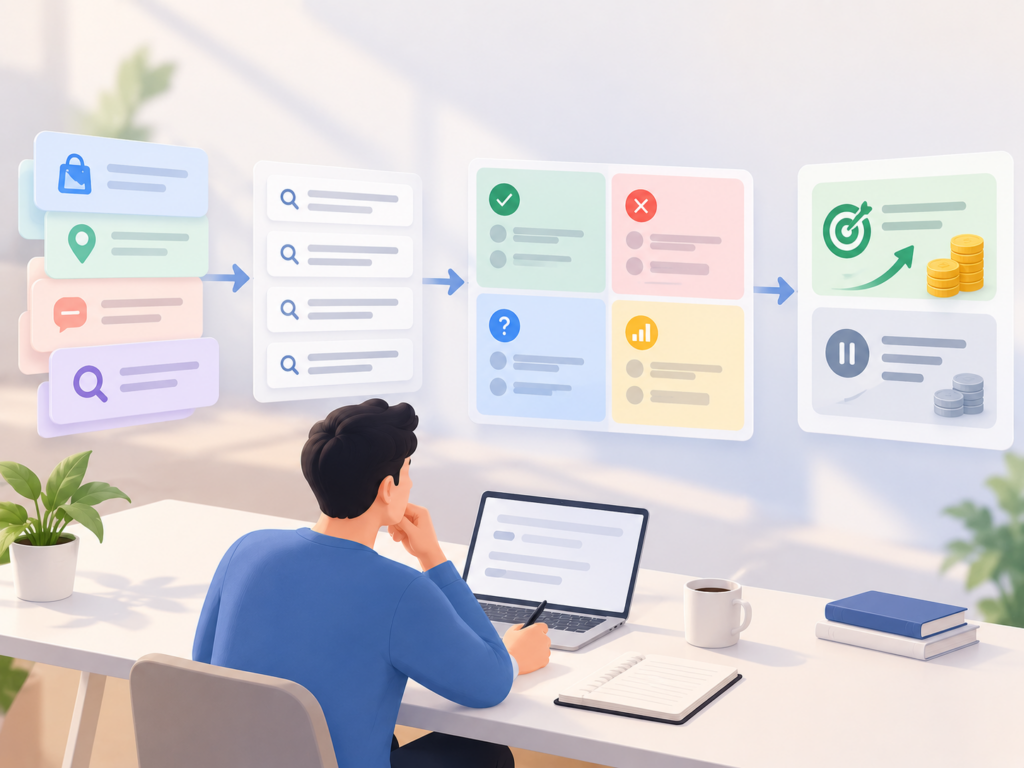
    Five-layer Bing AI Performance workflow from citations to decisions

    Grounding Queries Reveal Retrieval Context, Not the Full User Prompt

    A grounding query is not necessarily the exact sentence a person entered. AI systems can break a request into retrieval steps, expand concepts, or search for supporting details. The phrase shown in the report is evidence about what the system retrieved, not a verbatim transcript of user intent.

    This makes grounding-query analysis closer to content diagnosis than keyword research. Group the phrases by the task they imply: learning, comparison, troubleshooting, local discovery, commercial evaluation, or creation. Then ask whether the cited page actually resolves that task.

    Microsoft expanded the preview in June 2026 with Intents and Topics. Intents classify retrieval context into categories such as informational, commercial, navigational, research, local, and solve-oriented activity. Topics cluster related grounding queries into broader themes.

    Both are classification layers, not ground truth. Microsoft notes that labels may remain broad for specialized subjects during the preview. Use them to find patterns, then read the associated pages and answers before assigning editorial work.

    Page Trends Show Whether Growth Is Broad, Concentrated, or Fragile

    The same citation increase can describe three very different situations. Ten URLs may each gain a small number of citations. One evergreen guide may account for nearly the entire change. Or several pages may alternate in and out of the source set from day to day.

    Start with concentration. Calculate the share of site citations represented by the top one, five, and ten URLs. A high top-one share creates operational risk because one outdated or redirected page can change the entire trend.

    Next, inspect role. Label cited URLs as product pages, category pages, documentation, research, comparisons, support content, or editorial articles. The distribution tells you whether Microsoft is using your site to explain a subject, validate a fact, compare options, or support a transaction.

    Finally, check freshness. Review each leading page for dates, prices, feature descriptions, availability, and source evidence. Microsoft recommends keeping cited material current and points publishers to IndexNow for notifying participating search engines about added, updated, or deleted URLs. An accepted IndexNow request only confirms receipt, not indexing or citation.

    Compare Equivalent Periods Before Explaining a Change

    Microsoft’s Compare view can overlay the current period with a previous period. The feature makes trends easier to see, but a clean chart does not guarantee a fair comparison.

    Use complete periods with the same duration and reporting scope. Compare Monday through Sunday against the prior Monday through Sunday, not seven complete days against a partial current week. Record any site release, migration, major content update, campaign, seasonal event, or reporting change that occurred near the breakpoint.

    Then classify the movement:

    • Volume change: total citations move while cited-page breadth remains stable.
    • Coverage change: average cited pages and unique cited URLs expand or contract.
    • Topic-mix change: different themes or intents account for the citations.
    • Concentration change: the same total becomes more dependent on a small page set.
    • Volatility change: repeated spikes and reversals make the apparent trend unreliable.

    Do not write “the content update caused citation growth” merely because the dates align. A defensible statement is narrower: citations increased after the update, the updated page contributed most of the change, and no larger reporting or demand shift was visible. Causality remains a hypothesis until repeated evidence supports it.

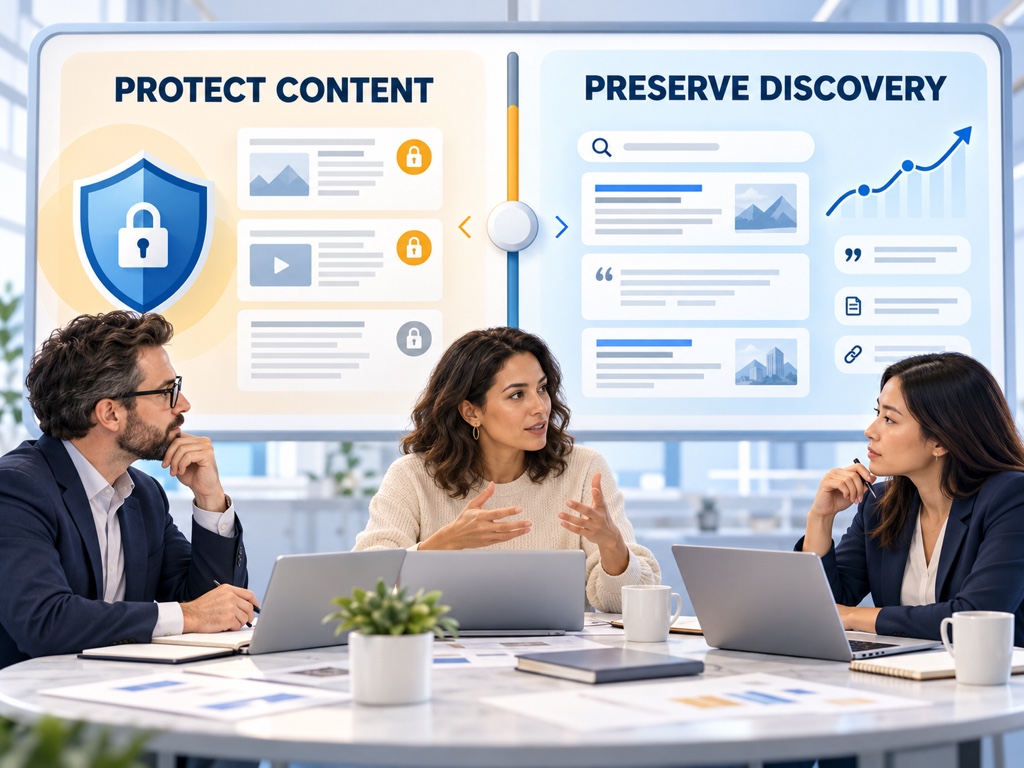
    Analyst comparing broad citation growth with one-page concentration risk

    Turn Every Signal Into a Testable Content Decision

    The report is most valuable when every observation produces a bounded next step. A frequently cited documentation page may justify expanding adjacent definitions. A commercially relevant grounding-query cluster may reveal that an educational page is doing the work of a missing comparison page. A formerly cited page that drops sharply may need a freshness, canonical, or accessibility review.

    Use this four-step loop:

    1. State the observation. Include the period, metric, page set, topic, and intent.
    2. List plausible explanations. Separate demand, page eligibility, content fit, freshness, and reporting possibilities.
    3. Choose one change. Update one page group or publish one missing asset instead of changing the entire site.
    4. Define the confirming signal. Specify the citation, coverage, query, answer, and conversion evidence expected after the change.

    For example, suppose citations for “enterprise data retention requirements” rise, but nearly all of them point to a general glossary. The immediate decision is not to publish ten keyword variants. First inspect whether the glossary contains the specific legal distinctions, jurisdiction notes, and update dates the retrieval context requires. Then decide whether the page needs a clearer evidence section or whether a dedicated compliance comparison is warranted.

    Pair First-Party Citation Data With Answer-Level Monitoring

    Bing AI Performance can show that Microsoft cited your pages. It cannot show the complete wording of every answer, the order in which brands appeared, or whether the citation supported a positive, negative, or neutral claim.

    That is where an answer-level layer becomes useful. Topify can be used to monitor a controlled set of prompts, observe brand mentions and recommendations, compare competitors, and inspect the sources shaping answers. The two systems should not be forced into one metric. Bing supplies first-party citation activity across its supported experiences, while prompt monitoring samples specific questions and answer conditions.

    Build a joined review rather than a blended score. Put Bing citation trends beside prompt-level visibility, brand framing, cited domains, analytics sessions, and conversions. A rise in citations with no improvement in relevant recommendations may indicate informational authority without commercial inclusion. A stable citation count paired with stronger answer position may signal better use of the same source footprint.

    The disagreement is often the insight.

    Use a Weekly Diagnostic and a Monthly Decision Review

    A weekly review should remain narrow. Check data completeness, compare equivalent periods, identify the largest page and topic movements, and flag unusual concentration. Avoid launching work from a single volatile day.

    A monthly review can support decisions. Recalculate concentration, review intent and topic mix, inspect leading pages for freshness, compare answer-level behavior, and connect visibility with qualified visits or business events. Record both actions and non-actions so the team does not repeat the same inconclusive diagnosis.

    Use a shared note with four fields: observation, confidence, next test, and owner. This keeps the report from becoming a passive chart that everyone interprets differently.

    Conclusion

    Bing AI Performance gives publishers rare first-party evidence about how their content participates in Microsoft-powered AI answers. Its value comes from respecting the boundaries of each metric. Citations show source use, grounding queries reveal sampled retrieval context, page activity exposes concentration, and trends identify when a movement began. None of them independently proves rank, recommendation quality, traffic, or causality.

    Start with one complete comparison period. Classify the movement by volume, coverage, topic mix, concentration, or volatility. Then test one explanation using page checks, answer observations, and conversion evidence. The goal is not to turn every citation into a victory. It is to turn an otherwise ambiguous signal into a decision the content team can defend.

    FAQ

    What is Bing AI Performance?

    Bing AI Performance is a Bing Webmaster Tools report showing how pages from your site are cited across supported Microsoft AI experiences, including Copilot and AI-generated Bing summaries.

    Does a Bing AI citation mean my page ranked first?

    No. A citation confirms that the page was displayed as a source. It does not reveal a traditional rank, answer position, click, endorsement, or recommendation.

    Are grounding queries the same as user prompts?

    Not necessarily. Grounding queries reflect phrases used during retrieval and may represent one step within a broader AI request. Microsoft also describes the available data as a sample.

    How often should I review Bing AI Performance?

    Use weekly checks for anomalies and monthly reviews for content decisions. Compare complete equivalent periods and avoid treating a single day’s movement as a durable trend.

    Read More

  • AI Search Content Controls: What Google’s Generative AI Setting Actually Changes

    AI Search Content Controls: What Google’s Generative AI Setting Actually Changes

    A publisher wants its reporting and product guides to remain discoverable in Google, but legal and editorial teams disagree about how much of the content should appear inside generated answers. One proposal blocks Google-Extended. Another adds nosnippet. A third turns off Google’s generative AI Search setting. The three actions sound similar because they all involve AI, yet they control different systems and create different visibility trade-offs.

    AI search content controls should begin with a precise decision: are you managing Google Search eligibility, the amount of page text that can appear in a search response, participation in generative Search features, or use by other Google AI products? Choosing a directive before defining that outcome can remove valuable discovery without solving the policy concern.

    Google’s Generative AI Setting Controls Participation in AI Search Features

    Google announced a new Search Console control in June 2026 that lets site owners decide whether their sites can appear in and help ground generative AI Search features. The company named AI Overviews, AI Mode, and AI Overviews in Discover as affected experiences. Google later stated that the control was rolled out worldwide on August 31, 2026.

    Turning the setting off means the site will not receive traffic or impressions from those generative features. Google says the choice is not used as a ranking signal for Search results outside the affected generative experiences.

    That boundary matters. The control is not presented as a site-wide removal from ordinary Google Search. It is a participation decision for Google’s generative Search surfaces.

    Before changing it, record the current state, the property scope, the decision owner, and the reason. A global toggle can affect editorial, product, support, and commerce pages at once. Teams should not treat it as a casual SEO experiment.

    Eligibility Requires Both Search Access and Generative Participation

    Google’s generative AI optimization guide describes two basic eligibility layers. A page must be indexed and eligible to appear in Google Search with a snippet, and the site must be included in generative AI features through Search Console.

    Meeting both conditions does not guarantee selection. Google still applies its core ranking and quality systems, retrieval-augmented generation, and query fan-out to find supporting pages. The control decides whether participation is allowed, not whether a page will be cited.

    The distinction creates four practical states:

    Search stateGenerative AI settingLikely outcomeMain trade-off
    Indexed and snippet-eligibleIncludedEligible for ordinary Search and supported generative featuresMore discovery with less control over where snippets appear
    Indexed and snippet-eligibleExcludedOrdinary Search may remain available; generative participation is removedLoss of generative impressions and traffic
    Indexed but nosnippetIncludedPage may appear as a link, but snippet-based use is heavily limitedReduced preview and generative eligibility
    noindex or inaccessibleEither statePage should not participate as an indexed Search resultMaximum discovery loss

    Do not read the table as a guarantee for every page or interface. It is a decision model based on Google’s documented boundaries, and implementation should be verified in Search Console.

    Layered decision map for Google Search indexing, snippets, and generative AI participation

    Snippet Controls Limit What Google Can Show From a Page

    Google documents four relevant page-level controls: nosnippet, max-snippet, data-nosnippet, and noindex. They solve different problems.

    nosnippet prevents Google from showing a text snippet for the page. Because Google’s generative Search eligibility requires a page to be eligible for a snippet, this can also limit participation in AI Overviews and AI Mode.

    max-snippet:[number] sets a maximum text length for snippets. A lower value reduces the amount of page content available for display, but Google does not promise that a particular value will create a predictable AI response outcome.

    data-nosnippet excludes marked portions of an HTML page from snippets while allowing other content to remain available. It is useful when a page mixes public explanatory material with licensed excerpts, user-generated text, or data that should not be reproduced in previews.

    noindex asks Google not to include the page in its index. It is the broadest of the four and should not be used when the objective is merely to limit generated text while preserving search discovery.

    Google’s snippet documentation also explains that controls must be visible to Googlebot. Blocking a page in robots.txt can prevent the crawler from reading a noindex or snippet directive, producing a configuration that does not behave as expected.

    Google-Extended Does Not Control Google Search

    Google-Extended is a standalone robots.txt product token. Google says it controls whether crawled content may be used for training future Gemini models and for grounding in Gemini Apps and Grounding with Google Search on Vertex AI. It does not affect inclusion in Google Search and is not a Google Search ranking signal.

    This means blocking Google-Extended is not the documented method for leaving AI Overviews or AI Mode. Those experiences are part of Google Search and use the Search index. The newer Search Console setting controls participation in generative Search features.

    Google-Extended also does not send a separate crawler user-agent string. Existing Google crawlers retrieve the content, while the token acts as a usage control. Server-log analysis alone therefore cannot be used to identify a distinct Google-Extended crawl stream.

    The safe policy rule is simple: document Google Search participation and Google-Extended usage as separate decisions, even when the same governance committee owns both.

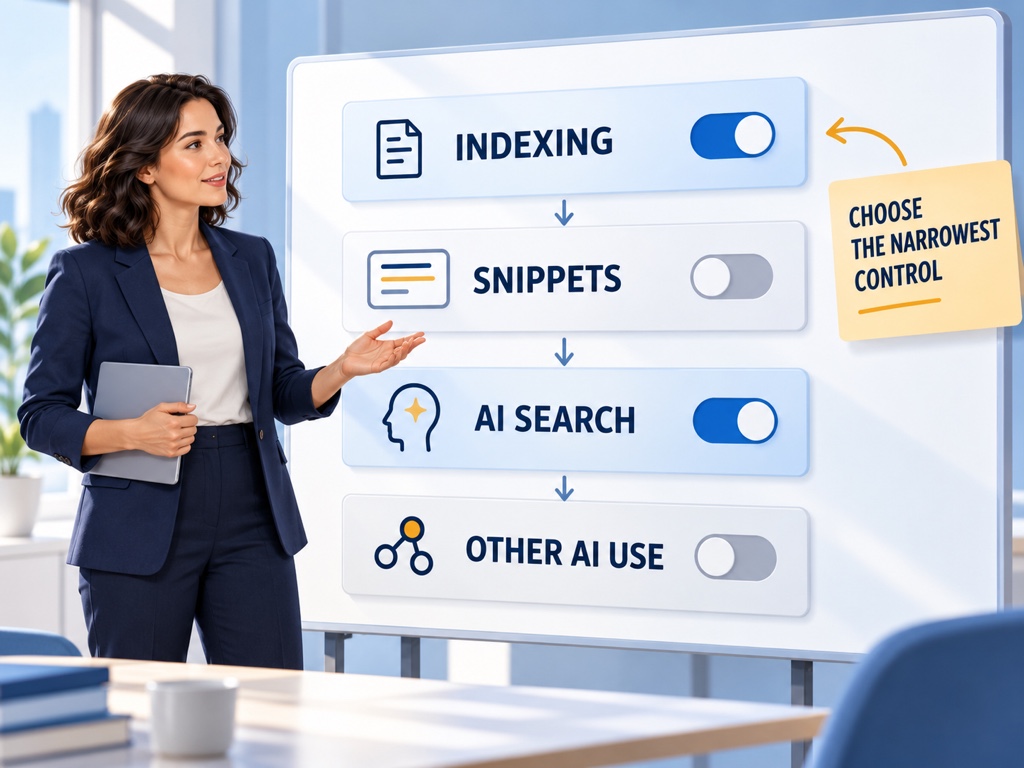
    Choose the Narrowest Control That Matches the Policy Goal

    Start with the content class, not the directive. Public product information, licensed journalism, subscriber material, personal data, user posts, legal documents, and support pages often require different policies.

    Use a decision sequence:

    1. Define the protected material. Identify pages, sections, fields, or excerpts rather than saying “AI content.”
    2. Define the unwanted action. Separate indexing, preview display, generative Search grounding, non-Search AI grounding, and training.
    3. Choose the narrowest supported control. Prefer a page section control over a page block, and a product-specific control over a global block, when it satisfies the requirement.
    4. Model discovery loss. Identify the impressions, clicks, subscriptions, leads, or support deflection that may disappear.
    5. Test and monitor. Confirm the directive is crawlable, wait for reprocessing, and verify the affected reports.

    This process prevents a common mistake: using noindex to solve a licensing concern limited to one paragraph, or blocking Google-Extended to solve a concern about AI Mode.

    Run a Measured Experiment Before a Site-Wide Change

    Some controls operate globally, but the decision can still be prepared with evidence. Build a baseline for generative Search impressions, cited pages, countries, qualified visits, conversions, and subscription or lead outcomes before changing participation.

    Segment pages by business role. A documentation library may receive few direct conversions but influence implementation confidence. A publisher’s current reporting may create subscriptions through prominent previews. A support site may reduce ticket volume when users receive an accurate answer before visiting.

    If page-level controls can meet the policy objective, test them on a bounded section. Record when Google recrawls the pages and when reporting changes. Google cautions that recrawling and processing can take from several days to months depending on the page.

    Do not interpret the first quiet day as a finished result.

    Cross-functional team balancing content protection against AI Search discovery loss

    Measure the Cost Across Visibility, Traffic, and User Outcomes

    The cost of a content control appears in several places. Search Console can show changes in generative impressions and cited pages. Analytics can show sessions and conversions. Subscriber, lead, support, or commerce systems can show the downstream outcome.

    Add an answer-level check. A site can disappear from direct citations while its brand remains mentioned through third-party sources. Conversely, the domain may remain visible as a link while the answer no longer includes enough context to influence a decision.

    Topify can provide a controlled prompt-monitoring layer around the change. Freeze a relevant set of prompts, record brand mentions, recommendations, positions, and sources before the control is changed, then repeat the observation after Google has processed it. The sample does not replace first-party Search Console data. It helps show what changed inside representative answers.

    Use three labels in the report: observed, inferred, and unknown. “Generative impressions fell after exclusion” is observed. “The exclusion caused fewer assisted conversions” may be inferred if several systems move together. “Google used a specific paragraph before the change” may remain unknown.

    Create a Control Registry and Review It Quarterly

    AI content controls can become invisible technical debt. A directive added for a temporary negotiation may remain after the contract changes. A global robots rule may outlive the team that approved it.

    Maintain a registry with the property, path, directive, affected system, owner, approval date, reason, test result, and review date. Include screenshots or exported evidence of the Search Console setting and retain the previous configuration.

    Review the registry quarterly and after major platform documentation changes. Google Search controls, Gemini product controls, crawler tokens, and reporting surfaces can evolve independently. Revalidate the policy against current official documentation rather than assuming the original behavior is permanent.

    Conclusion

    Google’s generative AI setting, snippet controls, noindex, and Google-Extended do not provide four versions of the same switch. They govern different layers: participation in generative Search, the amount of page content shown in previews, index eligibility, and use by selected non-Search Google AI products.

    Define the outcome before selecting the control. Then choose the narrowest supported mechanism, baseline the visibility and business value at risk, and verify the result after Google reprocesses the change. A responsible policy can protect specific material without treating all AI discovery as one undifferentiated problem. The wrong directive can remove a site from the exact decisions it still wants to influence.

    FAQ

    What does Google’s generative AI Search setting control?

    It controls whether a site can appear in and help ground supported generative Google Search features, including AI Overviews, AI Mode, and AI Overviews in Discover.

    Does blocking Google-Extended remove a site from AI Overviews?

    No. Google states that Google-Extended does not affect Google Search. The Search Console generative AI setting and Search preview controls govern different outcomes.

    Does nosnippet only remove the traditional search snippet?

    No. Google requires snippet eligibility for participation in generative Search features, so nosnippet can also restrict how the page participates there.

    How long does it take for a content-control change to work?

    The control must be crawlable and processed after recrawling. Google says this can take from several days to several months depending on crawl frequency.

    Read More

  • Agentic Search Optimization: Make Your Content Useful to Search Agents

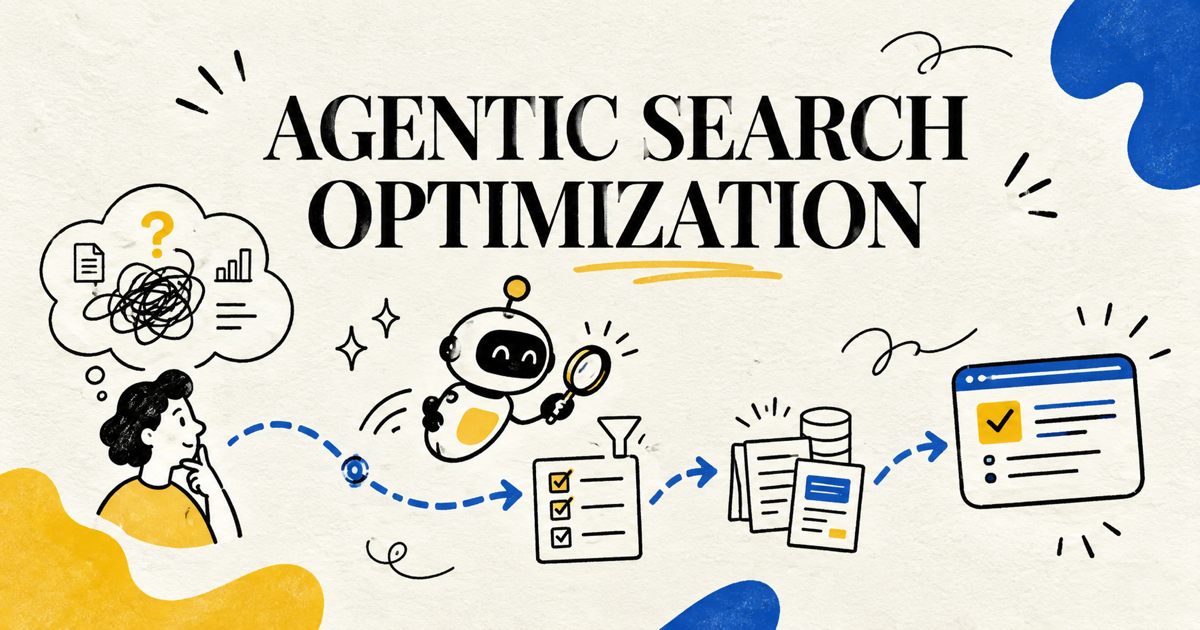
    Agentic Search Optimization: Make Your Content Useful to Search Agents

    Search is starting to do more than retrieve a page. An agent can monitor a topic, compare options, combine live facts, and help a person complete a task. That changes the practical question for content teams. It is no longer only, “Can this page rank?” It is also, “Can a search agent reliably extract, compare, and act on what this page says?”

    That does not make traditional SEO obsolete. Google’s current guidance says its generative features still depend on the core Search index, ranking systems, retrieval-augmented generation, and query fan-out. The foundation remains crawlable, indexable, useful content. Agentic search optimization adds another layer: make the facts, constraints, states, and next actions clear enough for an automated system to use without guessing.

    This guide turns that idea into a practical audit. It focuses on content and site changes you can make now, without inventing special “AI markup” or rebuilding your entire website around an unproven protocol.

    Agentic Search Is a Task Layer on Top of Retrieval

    Classic search helps a person find documents. Generative search synthesizes an answer from retrieved sources. Agentic search can keep working after the first answer: it can monitor for changes, compare choices against multiple constraints, or help the user complete an action.

    Google described this direction at I/O 2026 with information agents that can monitor web sources over time, notify users when conditions change, and support tasks such as finding listings that meet detailed requirements. Google also expanded agentic booking and shopping capabilities. The important shift is persistence and constraint handling. A single task may include location, budget, availability, eligibility, timing, and personal preferences.

    For a publisher or business, that creates more ways to be useful. A page can supply evidence for an answer, one fact in a comparison, a current state such as price or availability, or a destination where the user finishes the task. It also creates more failure modes. Ambiguous conditions, stale dates, hidden fees, and inconsistent fields can cause an agent to exclude or misrepresent an otherwise relevant offer.

    Agentic search optimization is therefore not a separate channel hack. It is the discipline of making task-relevant information discoverable, interpretable, current, and actionable.

    Start With the Jobs an Agent May Need to Complete

    Do not begin with a list of bots or speculative schema types. Begin with user jobs. Identify the tasks that lead people toward your product, service, or expertise, then identify the facts an agent would need to complete each task safely.

    User taskInformation the agent needsCommon content failureBetter page design
    Compare two productscapabilities, limits, price basis, audience, tradeoffsfeature list without decision criteriacomparison table plus a clear recommendation boundary
    Find an eligible servicelocation, hours, qualifications, exclusions, availabilitygeneric service page with hidden restrictionsexplicit eligibility and service-area section
    Monitor a changing conditionstatus, effective date, update history, thresholdundated claim or stale snapshottimestamped status and change log
    Book or buyreal price, inventory, cancellation terms, next actionCTA disconnected from current factsconsistent offer data and a stable action path
    Research a complex decisionevidence, methodology, assumptions, uncertaintyunsupported summarysourced analysis with assumptions and limitations

    This exercise separates “interesting content” from “operationally useful content.” A thought-leadership article may build trust, while a specification page, policy page, availability feed, or comparison table supplies the precise fact an agent needs. Strong sites connect both.

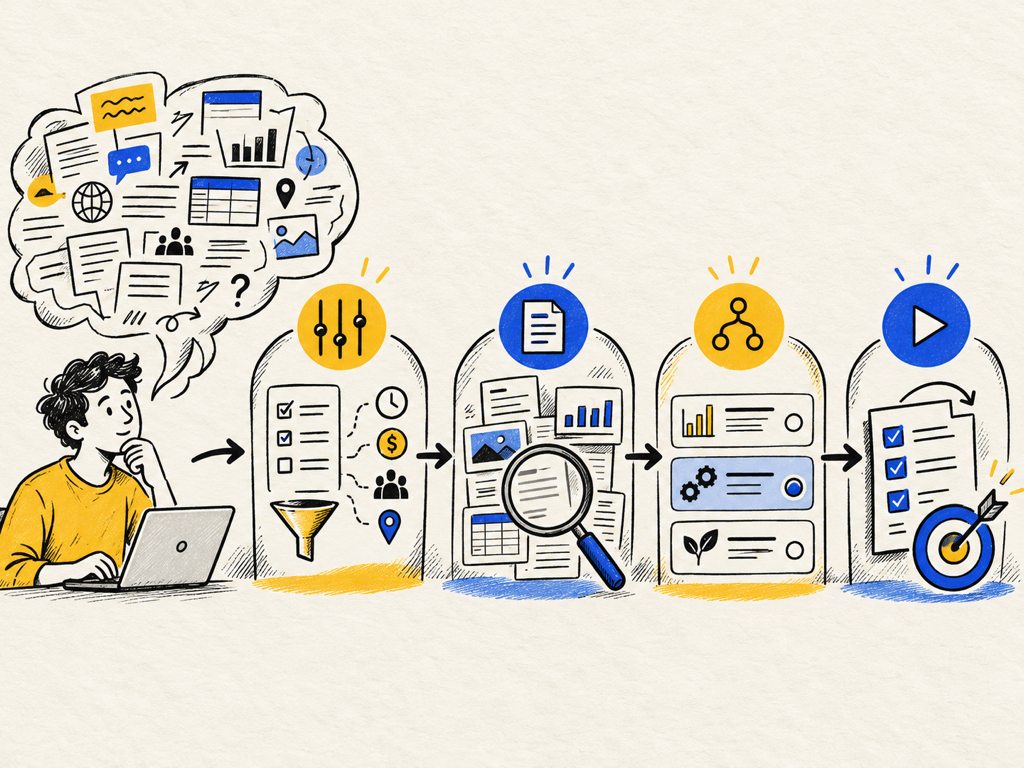
    Agent task map connecting a complex request to constraints, evidence, options, and an action path

    Make Constraints Explicit Instead of Leaving Them in Prose

    Agents are often asked to satisfy several constraints at once. A traveler may want a hotel under a budget, near a station, with late check-in and a refundable rate. A buyer may want software for a specific team size, region, security standard, and integration stack. If those facts are scattered across marketing copy, PDFs, footnotes, and modal windows, the system has to infer too much.

    Create a visible constraint layer on the page. Use precise headings such as “Who this plan is for,” “Service area,” “Requirements,” “What is included,” “Availability,” and “Cancellation policy.” State units, currencies, tax treatment, and effective dates. When a limit depends on a plan, region, or variant, attach the condition directly to the value.

    Tables help when they genuinely support comparison. Lists help when order or eligibility matters. Short definitions help when your terminology differs from market language. None of this requires chopping every sentence into an artificial “AI-friendly” fragment. Google explicitly says there is no requirement to chunk pages into tiny pieces or rewrite them in a special style for generative search. Structure should improve the human reading experience first.

    Publish Evidence That Can Survive Comparison

    An agent comparing sources needs more than a confident conclusion. It needs evidence that can be checked against other pages. This is where non-commodity content becomes especially valuable.

    Google’s generative AI optimization guide recommends unique viewpoints, first-hand experience, original expertise, and content that goes beyond summaries anyone could reproduce. For agentic tasks, useful evidence often includes:

    • a clearly defined measurement method;
    • a dated test or observation window;
    • first-party data with the sample and denominator explained;
    • screenshots or images that demonstrate the condition being discussed;
    • primary-source citations near the claim they support;
    • a limitation section that prevents overgeneralization;
    • a changelog when the underlying product or policy evolves.

    Treat important claims as reusable evidence units. Each unit should answer: What happened? Under what conditions? How was it measured? When was it true? What would make it no longer true? This makes the content more credible to people and easier to reconcile with other sources.

    Keep the Technical Foundation Boring and Reliable

    Agentic features still need access to the web. Google states that pages generally need to be indexed and eligible for snippets to appear in its generative Search features. It also advises maintaining crawlability, sound JavaScript SEO, good page experience, and reduced duplication.

    The practical checklist is familiar:

    1. Return a successful HTTP status for the canonical page.
    2. Keep essential facts in accessible page content, not only inside an image or an interaction that fails without JavaScript.
    3. Use one stable canonical URL for each durable resource.
    4. Keep headings, links, forms, and controls understandable in the DOM and accessibility tree.
    5. Ensure the mobile layout exposes the same important facts as desktop.
    6. Match structured data to visible content and validate supported types.
    7. Avoid blocking the crawlers or preview behavior required for the search experiences you want.

    Google notes that browser agents may inspect visual renderings, DOM structure, and the accessibility tree. That makes accessibility work operational, not decorative. A properly labeled button, a visible form error, and a logical heading order help both people and automated systems understand what can be done on the page.

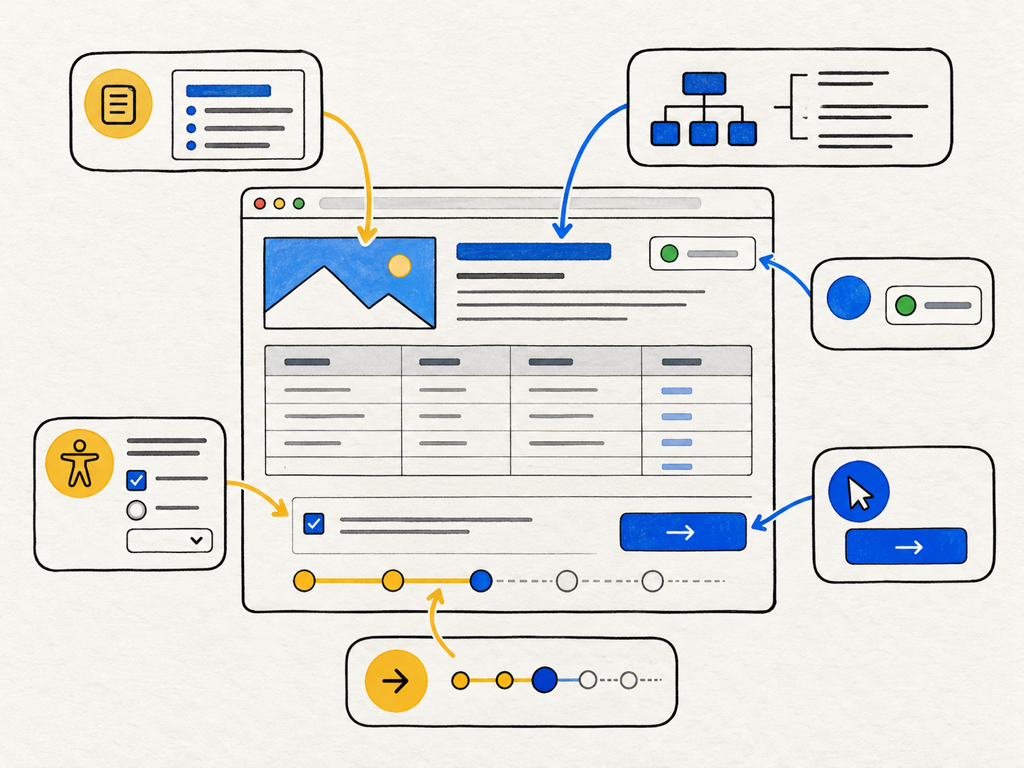
    Agent-friendly webpage blueprint showing visible facts, semantic structure, accessible controls, current state, and a stable action path

    Design Action Paths That Preserve Context

    An agent can find the right option and still fail at the handoff. Common breaks include a price changing between the comparison page and checkout, a variant losing its selected state, a booking link opening at the wrong location, or a form asking for information already supplied.

    Audit the full path from discovery to completion. Stable URLs should preserve the selected product, plan, location, or variant. CTAs should describe the action instead of using vague labels. Forms should expose requirements before submission and return specific, recoverable errors. If a person must take over, the page should retain the context the agent assembled.

    For commerce and booking, freshness matters as much as structure. A perfectly marked-up page with yesterday’s availability is less useful than a plain page with accurate current data. Assign an owner and update frequency to every high-impact field. If a value cannot be guaranteed in real time, say when it was last updated and what the user must confirm.

    Measure Agentic Search as a Chain of Evidence

    There is no single “agent readiness” score that proves performance. Measure the chain from eligibility to business outcome.

    At the technical layer, monitor indexability, rendering, structured-data validity, accessibility, and action completion. At the discovery layer, track the prompts or task clusters where your pages appear, the sources cited, and the pages selected. At the behavior layer, track qualified referral sessions, completed forms, bookings, purchases, and assisted conversions.

    Topify can help teams monitor answer visibility and citation patterns across a stable prompt set. Use that evidence to identify which topics and pages are being selected, then combine it with analytics and conversion data. A citation is evidence of source use, not proof of a sale. A referral is observable traffic, not the full influence of an AI interaction. Keep those layers separate.

    Run task-based tests rather than random prompts. For each important user job, create representative prompts with realistic constraints. Repeat them across engines and time windows. Record whether the answer found the right facts, cited the right page, preserved conditions, and offered a valid next action. The resulting failures provide a more useful backlog than a generic visibility score.

    Prioritize Fixes by Task Risk and Business Value

    Not every page needs an agentic redesign. Prioritize pages where an inaccurate or missing fact could change a decision, block a transaction, or create customer harm.

    Use a simple four-part score:

    • Task value: How close is the task to a meaningful business outcome?
    • Information volatility: How often do price, inventory, availability, rules, or eligibility change?
    • Interpretation risk: How costly would a wrong inference be?
    • Current clarity: Can a person quickly verify the important facts and next action?

    High-value, high-volatility pages should receive clear data ownership and frequent checks. High-risk policy or eligibility pages need explicit limitations and effective dates. Stable educational pages may need only better evidence, headings, and internal links.

    Avoid building around a speculative feature simply because it is new. Google says special AI files such as llms.txt are not required for its Search features, and there is no special schema type for generative search. Emerging protocols may become useful for particular transactions, but they should sit on top of accurate content and reliable site behavior.

    Build an Agent-Ready Publishing Workflow

    The strongest improvement is not a one-time audit. It is a publishing workflow that treats task facts as maintained assets.

    Before publication, the content owner defines the user job, evidence, constraints, and likely next action. A subject-matter reviewer checks factual accuracy and limitations. SEO verifies discovery, canonicalization, and internal links. Design checks mobile readability and image meaning. Engineering or operations verifies dynamic fields and forms. After publication, analytics monitors the discovery-to-action chain.

    Add a short agent-readiness review to existing quality assurance:

    • Can the main task and audience be identified within seconds?
    • Are decision-critical constraints visible and unambiguous?
    • Are claims supported by dated, primary, or first-hand evidence?
    • Does the current state match the destination or transaction flow?
    • Can keyboard, screen-reader, and browser-agent users operate the page?
    • Is there a clear owner for volatile information?
    • Can performance be measured without treating citations as conversions?

    This workflow improves traditional search, AI answers, accessibility, and conversion quality at the same time. That overlap is the reason agentic search optimization is worth doing now, even while specific products and protocols continue to change.

    Frequently Asked Questions

    What is agentic search optimization?

    Agentic search optimization is the practice of making web content and actions usable by search agents that retrieve information, compare options, monitor changes, or help complete tasks. It combines foundational SEO with clear constraints, current state, accessible interfaces, reliable evidence, and stable action paths.

    Do I need special schema for search agents?

    No universal special schema is required. Use supported structured data where it accurately matches visible content, but do not invent markup solely for AI systems. The more important foundation is crawlable, indexable, current, and well-structured information.

    Is an llms.txt file required for Google agentic search?

    No. Google’s current documentation says its Search systems do not use llms.txt as a special signal. Other services may choose to use such files, so the decision should be based on a documented provider requirement rather than a general ranking claim.

    How should I measure agentic search performance?

    Measure technical eligibility, task-level answer visibility, citations, qualified referrals, action completion, and revenue as separate layers. Use a stable prompt set and repeat tests over comparable time windows. Do not collapse every layer into one unexplained score.

    Read More

  • AI Prompt Clustering: How to Group Buyer Questions Without Hiding Intent

    AI Prompt Clustering: How to Group Buyer Questions Without Hiding Intent

    A content team exports hundreds of buyer questions from sales calls, site search, support tickets, and AI prompt research. The spreadsheet looks productive until planning begins. Ten prompts may describe one decision in different words, while two nearly identical prompts may require completely different evidence. Group too loosely and the cluster becomes meaningless. Split too aggressively and the calendar fills with duplicate pages.

    AI prompt clustering solves this only when the grouping preserves the reason a buyer asks. The goal is not to create tidy folders. It is to build stable units for testing visibility, comparing competitors, and deciding whether one page can satisfy a family of questions.

    AI Prompt Clustering Starts With Decisions, Not Shared Words

    AI prompt clustering is the practice of grouping conversational queries that express the same underlying decision, evidence need, and expected answer shape. Wording similarity helps, but it is not the final rule.

    Consider two prompts that both contain “best CRM for a small business.” One asks for the easiest system for a five-person sales team. The other requires HIPAA support, audit logs, and a migration deadline. The category and several words match, but the second prompt introduces procurement and risk evidence that the first answer may never need.

    The reverse also happens. “Which CRM gives clients portal access?” and “What software lets an agency share project status with customers?” use different vocabulary, yet both may represent the same client-collaboration decision.

    OpenAI’s research on how people use ChatGPT separates conversations into broad intents such as Asking and Doing. That is a useful starting layer. Editorial clustering needs a more operational layer: the job, constraints, evidence, and action the answer must support.

    A Good Cluster Preserves Four Kinds of Meaning

    A defensible cluster should be coherent across four dimensions. If one dimension changes the likely answer, the prompt may belong in a separate subgroup.

    DimensionQuestion to askKeep prompts together whenSplit prompts when
    DecisionWhat is the user trying to decide?The same choice or action is requiredOne asks to learn and another asks to select
    ConstraintsWhat conditions change the answer?Differences are cosmetic or minorBudget, role, region, compliance, or compatibility changes the shortlist
    EvidenceWhat proof would satisfy the user?The same sources and page type can answer bothOne needs pricing, technical docs, reviews, or original data the other does not
    Answer shapeWhat should a useful response look like?Both need the same format, such as a checklistOne needs a comparison and another needs a step-by-step workflow

    This framework stops a common mistake: treating semantic similarity as intent equivalence. A clustering model can tell you that two sentences are close in meaning. It cannot decide by itself whether your company needs one page, two sections, a product document, or no new asset at all.

    Use machine grouping to accelerate review, not to outsource the editorial decision.

    Normalize Prompts Before You Measure Similarity

    Raw prompt sets contain noise. Brand names, locations, model names, punctuation, and one-off details can dominate similarity even when they are not strategically important. Normalize the dataset while preserving the original prompt in a separate field.

    Start with five fields:

    1. Canonical task: the job expressed as a short verb phrase, such as compare platforms or troubleshoot indexing.
    2. Entity or category: the product, service, or problem space.
    3. Intent stage: learn, evaluate, choose, implement, or diagnose.
    4. Constraints: role, company type, geography, budget, integrations, risk, and exclusions.
    5. Expected evidence: definitions, feature proof, pricing, third-party validation, technical documentation, or measured results.

    Do not rewrite the source prompt and discard its language. Keep both the original and the normalized representation. The original lets you rerun a test exactly; the normalized fields make clustering explainable.

    Google says its generative search features can use query fan-out, issuing related searches to build an answer. That makes evidence fields especially important. One conversational request may fan out into product compatibility, pricing, implementation, and risk questions even when the visible prompt mentions the category only once.

    Build Clusters in Two Passes

    The most reliable workflow separates discovery from validation. The first pass proposes groups at speed. The second asks whether those groups still make sense as editorial and measurement units.

    Pass one: create candidate groups

    Group by canonical task and intent stage first. Within each group, use wording similarity, shared entities, and recurring constraints to propose subclusters. Give every cluster a human-readable label such as “budget comparison for small teams,” not an opaque ID.

    Set aside prompts that mix several decisions. A prompt asking for a definition, implementation plan, pricing comparison, and vendor recommendation may need to be decomposed for analysis, even if it remains unchanged for live testing.

    Pass two: challenge the boundaries

    Review prompts at the edge of each group. Ask whether one credible answer could satisfy all of them without becoming vague. Then test controlled variants in which only one constraint changes.

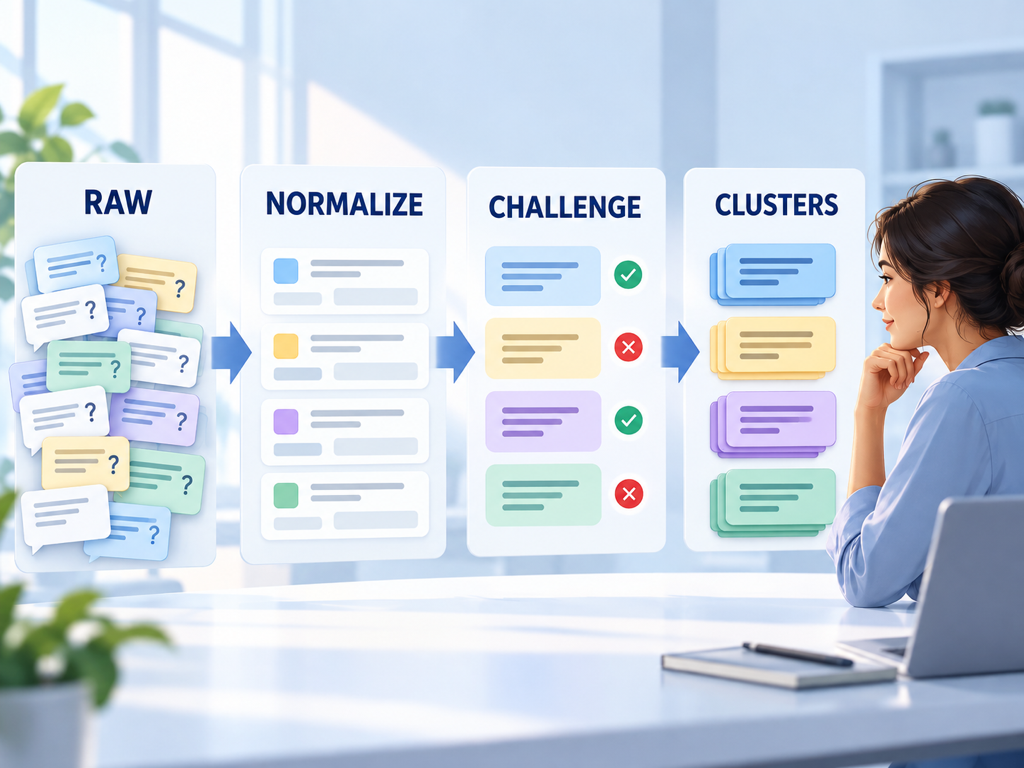
    Workflow showing raw buyer questions being normalized, grouped by decision, challenged with controlled variants, and approved as stable prompt clusters.

    If changing a constraint repeatedly changes the brands, sources, or content types in the answer, promote that constraint to a cluster boundary. If the answer stays materially the same, keep the prompts together and store the constraint as an attribute.

    Score a Cluster Before It Enters the Content Calendar

    Not every coherent cluster deserves a page. Some are useful for monitoring only, some belong in product documentation, and some expose an evidence gap that content cannot solve.

    Score each cluster on four practical questions:

    • Demand: Do customers or prompt-research signals show that the decision occurs often enough to matter?
    • Visibility gap: Are competitors recommended or cited where your brand is absent?
    • Evidence readiness: Can you support a useful answer with current, verifiable evidence?
    • Distinct intent: Would the asset serve a decision not already covered by an existing page?

    Topify’s Prompt Discovery currently frames opportunity through prompt demand, visibility gaps, commercial intent, competition, and content readiness. Those signals can prioritize the review queue, but they should not automatically create URLs. A high-opportunity cluster may call for a pricing clarification, integration page, or independent review strategy instead of another blog post.

    The editorial decision comes after the measurement signal.

    Know When to Merge, Split, or Hold a Cluster

    Cluster boundaries become clearer when you compare the consequences of each choice.

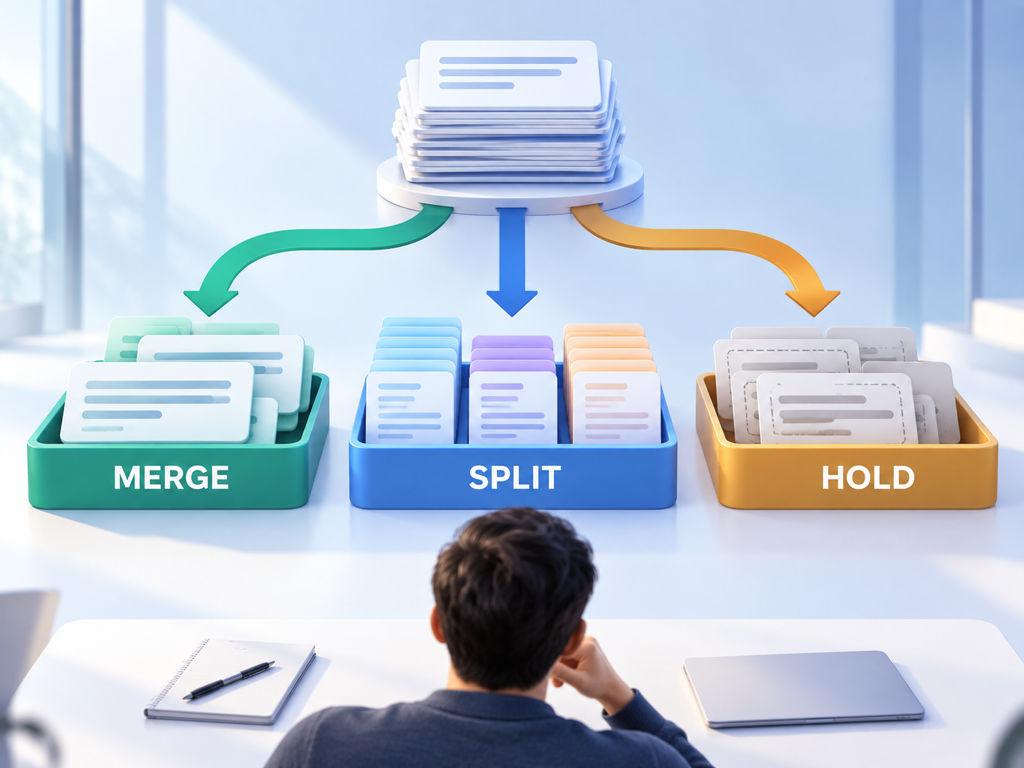
    Decision comparison showing when prompts should be merged, split into subclusters, or held for more evidence based on answer changes and content needs.

    Merge prompts when they lead to the same decision, require the same evidence, and produce substantially similar answer sets. Keep wording variants as test cases inside the cluster.

    Split when a recurring constraint changes the shortlist, source requirements, or answer format. For example, “for healthcare” may deserve a separate risk-focused subgroup if compliance evidence consistently changes recommendations.

    Hold when volume is uncertain, the prompts are too mixed, or the evidence does not support a useful response. A holding queue is better than forcing weak prompts into whichever cluster is closest.

    Do not split solely because platforms phrase responses differently. ChatGPT, Perplexity, and Google AI experiences may cite different sources for the same decision. Platform is usually a measurement dimension unless user behavior or answer requirements genuinely diverge.

    Measure Clusters With Stable Prompts and Versioned Rules

    A cluster becomes a measurement unit only when it remains stable. Store the exact prompts, language, region, platform, date, and grouping rule. Record when a prompt enters, leaves, or changes clusters.

    Track results at two levels. The cluster view shows whether visibility and recommendation share improve for the decision. The prompt view shows whether one wording, constraint, or platform is producing the difference.

    Useful cluster metrics include:

    • brand inclusion rate across the prompt set;
    • explicit recommendation rate;
    • average or median recommendation position when ordered lists exist;
    • competitor overlap;
    • citation-source coverage;
    • result volatility across repeated observations.

    Avoid interpreting ten paraphrases as ten independent demand signals. They are observations of one decision pattern. Weighting every wording equally can make a heavily expanded cluster look more important than a smaller but commercially meaningful one.

    Use Topify to Keep Discovery and Tracking Connected

    Topify can support the operating loop after your team defines its clustering rules. Begin with Prompt Discovery to identify candidate questions and visibility gaps. Normalize the prompts outside or inside your planning workflow, then organize stable sets by decision, funnel stage, or market.

    Use the same prompt versions for recurring monitoring. Compare brand visibility, competitors, position, sentiment, and citation sources within each cluster, while keeping new discoveries in a separate intake queue until they pass review.

    This separation matters. Adding new prompts directly to a baseline changes the denominator and can make a trend move even when AI answers did not. Version the cluster first, then compare like with like.

    When a cluster exposes a gap, inspect the evidence behind the winning answers. The next action might be a new comparison, clearer product documentation, a source-authority effort, or no content change at all. Clustering is valuable because it narrows the decision, not because it guarantees another article.

    Conclusion

    AI prompt clustering works when it preserves why a buyer asks, what constraints shape the answer, and what evidence resolves the decision. Shared words and vector similarity can propose useful groups, but they cannot define your editorial architecture alone.

    Start with the canonical task, intent stage, constraints, and expected evidence. Build candidate clusters, challenge their boundaries with controlled variants, and version the final prompt sets before tracking them. The result is a smaller, more defensible map of buyer decisions that supports content planning without creating duplicate pages or misleading measurement.

    FAQ

    What is AI prompt clustering?

    AI prompt clustering groups conversational queries by shared decision, constraints, evidence needs, and expected answer type so teams can analyze and track them as one meaningful unit.

    Is semantic similarity enough to cluster AI prompts?

    No. Similar wording can hide different purchase constraints, while different wording can express the same job. Semantic similarity should propose clusters that a human validates against decision and evidence requirements.

    How many prompts should be in one cluster?

    There is no universal number. Use enough prompts to represent the important wording and constraint variations without over-weighting paraphrases of the same question.

    When should a prompt cluster become a new article?

    Only when it represents a distinct, recurring decision and the required evidence is not already covered by an existing page. Some clusters are better handled by product documentation or monitoring.

    Read More

  • Google Search Console AI Performance: A Field Guide to the New Report

    Google Search Console AI Performance: A Field Guide to the New Report

    The new generative AI report in Google Search Console looks familiar enough to invite familiar conclusions. There is a trend chart, a table, filters, pages, countries, devices, and an export button. Yet the primary metric is not a click, a query, or a ranking. It is an impression inside a set of AI-generated search experiences.

    That difference changes what the report can prove. An increase may mean more pages surfaced, more eligible searches occurred, or one high-volume experience expanded. A decrease may reflect demand, visibility, filtering, or a known data issue. This field guide explains each control and limitation so you can establish a defensible baseline before turning a line chart into a strategy claim.

    The Generative AI Report Measures Google Visibility Only

    Google’s Generative AI performance report shows how links to your site appear in supported generative AI features on Google Search. Google lists AI Overviews and AI Mode as included experiences and says the list may change over time.

    The report is not a cross-platform AI visibility dashboard. It does not report what ChatGPT, Perplexity, or other independent assistants say about your brand. It also excludes experiments in Search Labs while those experiences remain under active development.

    As of August 31, 2026, Google says the insights are available to websites worldwide. A property may still lack visible data when it has not received enough qualifying impressions or when its pages are not eligible for those generative features.

    Treat the scope statement as the first line of your data dictionary:

    > Google-owned, organic, link-based impressions in supported generative AI features, subject to Search Console thresholds and reporting rules.

    That wording prevents the report from being mislabeled as total AI demand, total brand visibility, or total recommendation share.

    Impressions Are the Core Metric, Not a Proxy for Recommendations

    Google defines the total as the number of times links to your site were shown to a user in a generative AI feature. The report helps you see trend direction, identify pages receiving visibility, and break impressions down by available dimensions.

    An impression confirms a displayed link under Google’s counting rules. It does not, by itself, establish that:

    • the brand was recommended;
    • the link was the primary supporting source;
    • the user read or trusted the cited passage;
    • the appearance produced a visit or conversion;
    • the same page appeared in another AI platform.

    This is not a flaw. It is a boundary. First-party impression data answers a valuable question as long as the team does not expand it into claims the metric cannot support.

    The official report currently emphasizes impressions. Teams should therefore resist calculating invented click-through or conversion estimates from the AI impression total unless they have a separate, validated attribution method.

    Use This Data Dictionary Before Building a Dashboard

    The fields below summarize the report’s operational meaning based on Google’s current documentation.

    Field or controlWhat it representsUseful forDo not infer
    Total impressionsLinks from the property shown in supported Google generative AI featuresVisibility trend and baselineRecommendations, clicks, or total AI searches
    PagesFinal linked URL, generally assigned to the canonical URLFinding content receiving AI exposureWhich passage or claim was used
    CountriesCountry where the search originatedGeographic mix and rollout differencesUser identity or market demand outside the property
    DevicesDesktop, tablet, or mobileDevice mix and experience changesExact interface or conversion behavior
    DatesDaily, weekly, or monthly grouping in Pacific TimeTrend and period comparisonLocal-day alignment in every market
    Web: text-basedTraffic context originating from text queries in standard searchSeparating text-led experiencesThe actual query text
    Web: multimodalSearches using images, including listed Lens and image-search entry pointsVisual discovery analysisWhich image or object triggered the result
    ExportDownload of chart and table dataReproducible analysis and archivingUnlimited rows or removal of all privacy limits

    Google notes that values shown as ~ or - in the interface are exported as zeros. Preserve that rule in your data documentation so unavailable or suppressed values are not mistaken for measured zeros.

    Aggregation Changes the Meaning of Totals

    The chart and table can disagree without either being wrong. Google explains that chart data is aggregated by property unless a URL filter is applied, while table aggregation depends on the selected dimension.

    For example, two links from the same site in one generative result may count as one property-level impression in the chart. Page-level rows can still reflect the individual linked URLs. Summing page rows and comparing that total with the property chart can therefore produce a discrepancy.

    Diagram showing property-level and page-level aggregation producing different valid totals from the same generative AI result.

    Canonicalization adds another layer. Google says page data is generally assigned to the canonical URL after redirects, not necessarily the exact duplicate URL a user or crawler encountered. A team that groups performance by raw CMS URL can misattribute the exposure if canonical rules are not understood.

    Document the aggregation level beside every exported number. “1,000 AI impressions” is incomplete; “1,000 property-aggregated impressions, text-based web, United States, September 2026” is auditable.

    Filters Answer Narrow Questions but Change the Denominator

    The report supports dimensions and time ranges, plus filters such as page, country, device, and search type. Apply filters in a deliberate order and restate the active view before interpreting a change.

    A practical sequence is:

    1. Establish the unfiltered property trend.
    2. Separate text-based and multimodal search types.
    3. Identify pages contributing most of the movement.
    4. Check country and device concentration.
    5. Compare equivalent complete periods.

    Do not compare a filtered page view with an unfiltered property baseline as if the totals share one denominator. Also remember that newest data can be preliminary. Google marks it with a dotted line because recent values may still change as collection completes.

    For advanced Performance reports, Google warns that filtering and grouping can interact with data truncation and anonymized-query omissions. The generative AI report currently does not expose a normal query table, which makes page and segment interpretation even more important.

    Missing Data Has Several Possible Causes

    No report or a low total does not automatically mean no AI visibility. Google’s documentation lists insufficient qualifying impressions and eligibility settings among the reasons data may not appear. Reporting thresholds and product availability can also limit what is visible.

    Before escalating a visibility problem, check:

    • the property and permission level;
    • the selected date range and filters;
    • whether the site is eligible for generative features and snippets;
    • whether pages are indexed and canonicalized as expected;
    • whether the latest data is preliminary;
    • whether Google has recorded a reporting anomaly.

    Google maintains a Search Console data anomalies log. For example, it documented a generative AI Search impression logging issue affecting August 13 through August 17, 2026, and later noted that the missing data had been restored. A sharp movement during a known incident should not become a content-performance narrative.

    Troubleshooting flow separating real visibility changes from filters, eligibility, preliminary data, canonicalization, and documented reporting anomalies.

    Keep an annotation log beside your exports. Record site migrations, major releases, indexing incidents, filter changes, and Google’s own data notes. The graph becomes much more useful when its context survives the meeting.

    Establish a Baseline With Comparable Complete Periods

    The first baseline should be simple. Export at least one complete period, preserve the unfiltered total, and create separate views for text-based and multimodal search. Then record the top pages, countries, and devices by impressions.

    Use both a recent operational window and a longer context window when enough history exists. A seven-day view catches sudden changes. A 28-day or monthly view reduces the influence of weekday mix and short-lived volatility. Compare like-for-like periods and exclude incomplete newest days.

    For every baseline, store:

    • export date and report URL;
    • property, date range, and time zone;
    • active filters and search type;
    • chart total and table scope;
    • known anomalies or site changes;
    • analyst notes and next review date.

    Do not call GSC impressions market-wide search volume. They reflect where your property was shown under Google’s reporting conditions, not how often every relevant prompt was asked.

    Pair First-Party Reporting With an Answer-Level Layer

    Search Console is the authoritative source for supported Google impression data. An answer-level tracker serves a different purpose: observing prompts, brand mentions, ordered recommendations, citations, competitors, and changes across multiple AI platforms.

    Use the two layers without pretending they are interchangeable. GSC can show that a page earned more Google generative impressions. It generally cannot reveal the hidden query, the exact claim cited, or what ChatGPT recommended. A tracker can capture those answer details but does not have access to Google’s internal impression logs.

    Topify fits the second layer by monitoring prompt-level brand visibility, competitors, position, sentiment, and sources across supported AI experiences. Use GSC as the first-party Google baseline and Topify as an observational answer layer. When both move in the same direction, you have corroborating signals. When they diverge, investigate scope before choosing a story.

    Google itself cautions that third-party tools do not have access to its internal ranking or AI systems in the official AI optimization guidance. A credible comparison respects that limit.

    Conclusion

    Google Search Console’s generative AI report gives site owners a first-party view of link impressions inside supported Google AI experiences. Its value depends on disciplined interpretation: impressions are not recommendations, page rows do not always sum to property totals, filters change scope, and missing data may reflect eligibility or reporting conditions.

    Create a written data dictionary before building a dashboard. Preserve report settings with every export, compare complete periods, annotate anomalies, and separate text-based from multimodal views. Then add an answer-level monitoring layer only for questions GSC does not claim to answer. That division produces a baseline your team can defend instead of a chart that invites guesswork.

    FAQ

    What does the Search Console generative AI report measure?

    It reports impressions when links to your property appear in supported generative AI features on Google Search, currently including AI Overviews and AI Mode according to Google.

    Does the report show AI Mode queries and clicks?

    The current report centers on impression data and available page, country, device, date, and search-type dimensions. It does not provide the familiar query-level view needed to explain every prompt.

    Why can the chart total differ from the page table?

    The chart can use property-level aggregation while page rows use page-level aggregation. Multiple links from one property in a result can therefore produce different valid totals.

    Does Search Console report ChatGPT or Perplexity visibility?

    No. Search Console reports Google properties and supported Google features. Cross-platform AI answers require a separate observational measurement approach.

    Read More

  • Multimodal Search SEO: How to Optimize for Lens, Images, and AI Search

    Multimodal Search SEO: How to Optimize for Lens, Images, and AI Search

    A shopper points a camera at a chair, circles the fabric pattern, and asks for a similar model that fits a smaller room. A traveler uploads a landmark photo and asks what it is, when to visit, and where to stay nearby. Neither journey begins with a keyword list. The image supplies the object, color, shape, and context; language adds the task and constraints.

    Multimodal search SEO prepares pages for that combined retrieval problem. Images must be discoverable and interpretable, while the surrounding page must provide the entity, attributes, evidence, and destination a search system needs to return a useful result. Great photography without context is weak evidence. Detailed copy without usable images misses the visual query.

    Multimodal Search Combines Visual and Language Evidence

    Multimodal search accepts more than one input type, commonly an image plus text. The system may identify objects or scenes, interpret a user’s follow-up question, retrieve relevant web information, and assemble visual or generative results.

    Google’s Search Console documentation now separates Web: multimodal activity, covering image-led searches from Lens, Circle to Search on Android, uploaded images, and Chrome image search. Google announced the reporting update on September 24, 2026, with global rollout for sites receiving eligible traffic.

    This creates a new measurement view, not a separate shortcut to rankings. Google’s established image and page requirements still matter: crawlable pages, accessible image URLs, useful content, clear context, and eligible indexable resources.

    Think of the optimization unit as an image-page pair. The image contributes visual features; the page explains what those features mean and why the result answers the task.

    Match the Page to the Visual Decision

    A multimodal query may seek identification, comparison, inspiration, troubleshooting, local context, or purchase. The best page type depends on that decision.

    Visual search intentExample input and questionStrong destinationEvidence the page should provide
    IdentifyPhoto of a plant: “What is this?”Species or reference pageClear identity, distinguishing traits, cautions
    Find similarSofa photo: “Show me this style in green”Category or product collectionVisual variants, color, material, dimensions
    CompareTwo devices: “Which is better for travel?”Comparison or buyer guideVisible form factor, specifications, trade-offs
    TroubleshootPhoto of an error or damaged partDiagnostic guideMatching symptom images, steps, safety limits
    Explore placeLandmark image: “What can I do nearby?”Destination or local guideLocation, season, access, related places
    BuyProduct photo: “Where can I get this under $150?”Product detail or merchant pagePrice, availability, variants, merchant terms

    Do not send every visual result to a generic homepage. The destination should resolve the question the image helped express.

    Make Images Discoverable Before Optimizing Their Meaning

    Google’s image SEO best practices recommend standard HTML image elements. Google can find images in the src attribute of an <img> element, including within <picture>, while CSS background images are not indexed in the same way.

    Use stable, crawlable image URLs and a real src fallback with responsive srcset or <picture> markup. Confirm that robots rules, authentication, CDN settings, and hotlink controls do not block the page or image resource.

    Image sitemaps can help Google discover resources it might otherwise miss, including images hosted on a CDN. When using a separate CDN domain, verify ownership in Search Console where practical so crawl problems are visible.

    Use supported formats, descriptive filenames, and dimensions appropriate for the experience. Compression should reduce transfer cost without destroying details needed to recognize the subject. A blurred texture, unreadable label, or tiny object may be fast but unhelpful.

    Technical discoverability is the entry ticket. It does not tell a search system what the image proves.

    Give Every Important Image a Clear Context

    Google says it uses alt text, computer vision, and page content to understand image subject matter. It also recommends placing images near relevant text on pages that match the subject.

    Write alt text for accessibility and meaning, not as a keyword container. Describe the content and function the reader would miss. A useful product alt might identify model, color, material, and visible configuration. It should not repeat every keyword in the page title.

    Captions can add evidence that is visible to all readers: date, location, measurement, result, or the relationship between two objects. Surrounding copy should name entities and explain the attributes a visual alone cannot establish.

    Multimodal retrieval workflow combining an image, a written constraint, page context, product attributes, and a useful destination.

    For charts and diagrams, state the takeaway in nearby prose. For product images, expose price, availability, dimensions, variants, and compatibility in crawlable text or structured data rather than baking facts into pixels only.

    Build Image Sets That Answer Comparison and Constraint Questions

    One polished hero image rarely covers the decisions people make with visual search. Create an intentional set that shows the subject from useful angles and under realistic conditions.

    For products, include scale, details, variants, packaging, interfaces, and in-use scenes. Keep color and proportions faithful. For travel or local content, include recognizable viewpoints, access conditions, seasons, and nearby context. For troubleshooting, show the normal state and the relevant symptom clearly.

    The image set should reduce uncertainty, not create visual volume. Ten near-identical lifestyle photos contribute less evidence than three images that answer size, material, and use.

    Avoid replacing primary product photography with text-heavy promotional cards. Google advises against generic or text-dominated choices for preferred preview imagery. A representative high-resolution image is more useful for visual discovery.

    Connect Structured Data to Visible Page Truth

    Structured data can make explicit relationships between the page, its main entity, and images. Depending on the content, Product, Recipe, LocalBusiness, Article, or other supported markup may include required image properties and relevant attributes.

    Markup must match visible page content. Do not claim a price, availability state, review, or image that users cannot confirm on the page. Structured data eligibility also does not guarantee a particular search treatment.

    Google’s image documentation notes that preferred imagery can be indicated through relevant schema properties and og:image, while selection remains automated. Use a representative, high-resolution image without an extreme aspect ratio. Do not assume the social preview image will solve image-search relevance by itself.

    For commerce, keep feed data, structured data, and product pages aligned. Conflicting price, variant, or availability information weakens the reliability of the destination regardless of how attractive the image is.

    Design the Page for Humans and Machine Interpretation

    Multimodal optimization should improve the page a user lands on. Use descriptive headings, concise attribute blocks, comparison tables, and captions where they make the visual evidence easier to act on.

    Page blueprint showing crawlable images, concise context, attributes, structured data, comparison evidence, and a clear next action.

    Keep important information available in the DOM and accessible without fragile interaction. Tabs and galleries can support browsing, but essential facts should not depend on a user action or a canvas rendering that leaves crawlers with little readable context.

    Performance matters because images are often the largest page resources. Supply responsive sizes, reserve layout space, compress responsibly, and monitor page experience. Do not trade away the detail needed for recognition to hit an arbitrary file-size target.

    For AI search, focus on complete evidence rather than special “LLM formatting.” Google’s generative AI optimization guide emphasizes established Search fundamentals and unique, helpful content. The page should make its subject, attributes, and claims easy to verify.

    Measure Multimodal Visibility With the Right Boundaries

    In Search Console, use the multimodal search type filter in the standard Search results Performance report and the generative AI performance report where available. Export the data, preserve filters and date ranges, and compare complete periods.

    Review pages, countries, devices, and dates to find where multimodal impressions concentrate. Google’s report does not reveal every submitted image or exact visual query, so connect the trend with landing-page inventory, image changes, indexing checks, and business outcomes.

    Do not call impressions “visual search volume.” They represent where links from your property appeared under Google’s reporting rules. Property and page aggregation can also differ.

    Topify can complement this Google view by monitoring prompt-level brand visibility and sources across supported AI platforms. Use it for text or conversational questions associated with the same visual decisions, while recognizing that an external tracker cannot reproduce Google’s private Lens impression data.

    The combined view is strongest when the scopes stay separate: first-party multimodal exposure from GSC, answer-level brand and citation evidence from monitoring, and on-site outcomes from analytics.

    Conclusion

    Multimodal search SEO is not image compression plus alt text. It is the design of a reliable image-page pair for a visual decision. The image must be discoverable and representative; the page must supply identity, attributes, context, structured evidence, and a useful destination.

    Start with the decisions people make from images, then build the smallest image set that reduces uncertainty. Verify crawlability, place images beside relevant explanations, align structured data with visible truth, and measure multimodal impressions within Search Console’s limits. That foundation serves Lens, image-led search, and AI experiences without creating a separate page for every possible photo.

    FAQ

    What is multimodal search SEO?

    Multimodal search SEO prepares images and their landing pages for searches that combine visual input with language, such as a photo plus a product, place, or troubleshooting question.

    Does alt text improve Google Lens visibility?

    Alt text helps Google and assistive technologies understand image subject matter, but it is one signal alongside visual content, page context, crawlability, and the usefulness of the destination.

    Can Search Console report multimodal searches?

    Yes. Google introduced a Web: multimodal search type covering listed image-led entry points such as Lens, Circle to Search, image uploads, and Chrome image search.

    Do I need a separate page for every product image?

    No. Use one strong destination for the entity or decision and provide a purposeful image set with crawlable context, attributes, and variants.

    Read More

  • AI Prompt Intent Signals: How Constraints Reveal What Buyers Actually Want

    AI Prompt Intent Signals: How Constraints Reveal What Buyers Actually Want

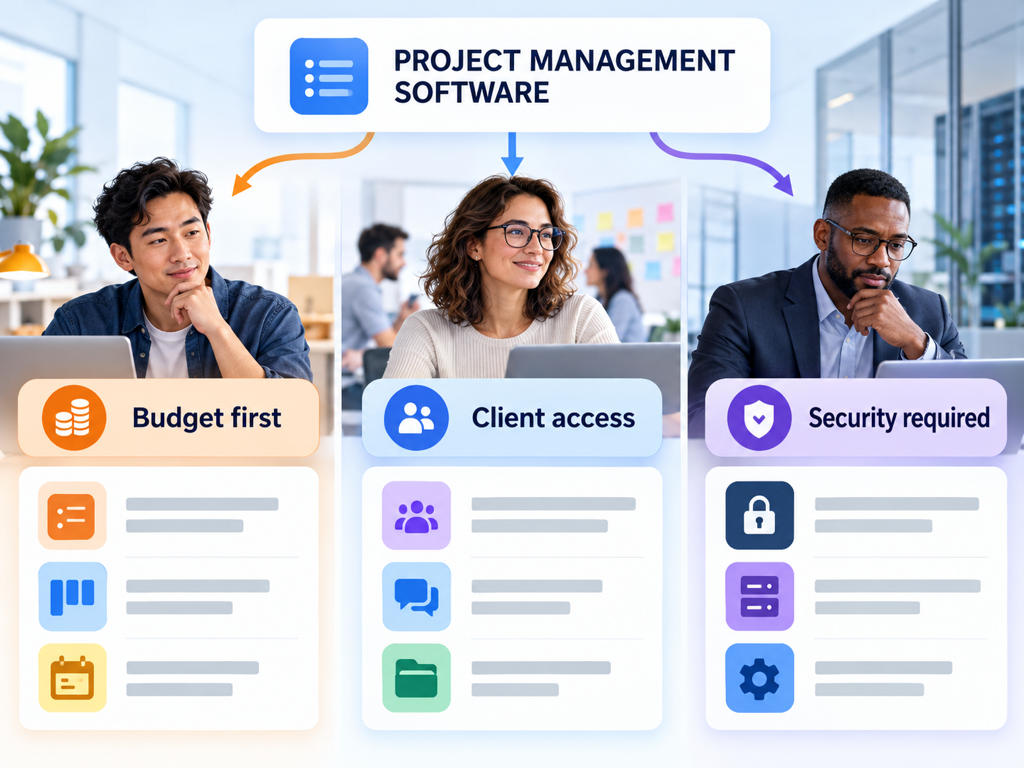
    A buyer asks an AI assistant for project management software, but the category is only the starting point. Their role, budget, existing tools, security requirements, and deadline can all change the shortlist. A keyword report usually compresses those details into one phrase. The prompt preserves them.

    That creates a different planning problem for SEO and content teams. Ranking for the category doesn’t tell you whether AI systems consider your product suitable for an agency, a regulated enterprise, or a budget-conscious startup. AI prompt intent signals give you a practical way to identify those differences, turn them into testable prompt groups, and decide which evidence your content still needs to provide.

    Keyword Intent Is Too Coarse for Conversational Search

    Traditional search intent usually sorts queries into broad groups such as informational, commercial, navigational, and transactional. That remains useful, but it loses detail when a user describes a full situation instead of typing a short query.

    Consider these three prompts:

    • “What is project management software?”
    • “Which project management tools give agencies client-facing dashboards?”
    • “Recommend project management software for a healthcare company that needs SSO, audit logs, and a fast security review.”

    All three belong to the same product category. They do not represent the same decision. The first asks for an explanation, the second introduces a workflow requirement, and the third adds industry, integration, risk, and timing constraints.

    OpenAI’s research on how people use ChatGPT classifies user intent with an Asking, Doing, or Expressing rubric. Asking seeks information or advice, while Doing requests an output or action. For marketers, that distinction is a useful first layer, but commercial prompts need another layer that captures the conditions determining which answer is acceptable.

    A prompt can be informational in format and still contain a strong buying signal.

    AI Prompt Intent Signals Are the Conditions Behind the Request

    An AI prompt intent signal is a word, phrase, or contextual detail that changes the answer the user expects. It can identify the user’s role, define an acceptable price, eliminate incompatible products, or introduce a risk that must be resolved before purchase.

    This is a working analysis framework, not a universal standard published by an AI platform. Its value is operational: the framework lets you group prompts by the conditions that influence recommendations rather than by superficial wording alone.

    Google confirms that its generative search experiences can use query fan-out, generating multiple related searches to gather the information needed for one response. A prompt about software for a healthcare team could therefore lead the system to investigate security, integrations, pricing, usability, and industry suitability before producing one synthesized answer.

    OpenAI describes a similar decision dynamic in Shopping Research. The experience asks follow-up questions about factors such as preferred brands, size, performance, style, and price, then uses those clarified constraints in a multi-step product discovery process.

    The implication is straightforward: the category determines where the search starts, while the signals help determine where the answer ends.

    Eight Signals Explain Why Similar Prompts Produce Different Shortlists

    The most useful taxonomy is one your team can apply consistently. The eight signal types below cover many B2B and considered-purchase prompts without pretending every prompt fits perfectly into one box.

    Intent signalWhat it revealsExample phraseContent evidence the user may need
    Task or outcomeThe job the buyer needs completed“reduce manual reporting”Workflow, use case, before-and-after process
    RoleWho will evaluate or use the product“for a marketing operations lead”Role-specific benefits and responsibilities
    OrganizationTeam size, industry, or business model“for a 20-person agency”Relevant deployment model and use-case proof
    BudgetPrice ceiling or value expectation“under $30 per user”Current pricing, plan limits, and total-cost context
    CompatibilityRequired tools, formats, or infrastructure“works with HubSpot and Slack”Integration documentation and limitations
    RiskSecurity, compliance, trust, or switching concerns“needs SOC 2 and SSO”Security documentation, controls, and procurement evidence
    TimelineUrgency, implementation window, or buying stage“must launch this quarter”Setup steps, dependencies, and realistic time requirements
    ExclusionWhat the buyer explicitly rejects“not an enterprise suite”Clear fit boundaries and credible alternatives

    These signals can appear together. “Best analytics platform” is a category-level commercial prompt. “Best analytics platform for a two-person ecommerce team that needs Shopify data and costs less than $200 a month” contains role, organization, compatibility, budget, and exclusion signals.

    Counting signal density can help prioritize research, but more signals do not automatically mean more commercial value. A highly detailed troubleshooting prompt may be urgent without indicating a purchase. Intent still depends on the requested outcome.

    AI Systems Use Constraints to Narrow the Answer Space

    At a practical level, intent signals act like filters and evaluation criteria. The system first identifies the category or task, then looks for information that satisfies the stated conditions. Missing evidence can remove a brand from consideration even when the brand is generally relevant to the category.

    Suppose three buyers ask about project management software. A founder emphasizes price, an agency leader needs client access, and an enterprise IT manager requires security controls. The system may retrieve overlapping sources, but the final recommendation sets can differ because each buyer defines success differently.

    AI prompt separated into role, budget, compatibility, timeline, and risk signals before producing a shortlist

    This does not mean marketers should create a separate page for every possible wording. Google’s official guidance warns against producing pages for every query variation and recommends unique, non-commodity content that genuinely helps users. The right unit is usually a meaningful decision pattern, not an isolated sentence.

    Bottom line: optimize for evidence coverage across a prompt cluster, not for an exact conversational phrase.

    Build a Prompt Signal Map in Five Steps

    A useful signal map connects real prompts to business decisions. It should be small enough to maintain, but varied enough to reveal where recommendations change.

    1. Start with one decision, not a broad topic

    Define the decision you want to study, such as choosing an AI visibility platform, selecting accounting software, or finding a logistics provider. Avoid mixing education, troubleshooting, and product selection in the same initial group.

    2. Collect prompt language from several sources

    Use customer calls, sales objections, support tickets, site search, community discussions, AI referral data, and prompt discovery tools. Remove personal data and confidential customer details before storing prompts.

    The goal is not to manufacture hundreds of variations. It is to capture the conditions real buyers use when asking for help.

    3. Tag signals without rewriting the prompt

    Keep the original wording for repeatable testing. Add separate fields for task, role, organization, budget, compatibility, risk, timeline, and exclusions. A prompt can have several tags in each field.

    4. Create controlled variants

    Change one important signal at a time. For example, keep the category and organization constant while testing three budget levels, or keep the budget constant while changing the security requirement.

    Controlled variants make the result interpretable. When every detail changes at once, you cannot tell which condition altered the shortlist.

    5. Freeze the test set and record context

    Store the platform, model or experience, region, language, date, and exact prompt. AI answers vary, so repeat observations are more useful than a single screenshot. If you revise a prompt, treat it as a new version rather than silently replacing the baseline.

    Turn Prompt Signals Into Content Decisions

    Signal mapping becomes valuable when it changes what you publish. Each repeated constraint points to evidence a buyer expects an AI answer to locate and explain.

    A compatibility signal may reveal that an integration page lacks setup details. A risk signal may show that security documentation is inaccessible or too vague. A role signal may expose a generic feature page that never explains the workflow for the person making the decision.

    The same category can therefore require different evidence paths without requiring duplicate articles.

    Different budget, client access, and security constraints producing different software recommendations

    Use three questions to turn a signal cluster into a content assignment:

    1. What decision is the user trying to make?
    2. What evidence would let a credible adviser answer that decision?
    3. Does that evidence already exist in a crawlable, specific, and current form?

    When the answer to the third question is no, the gap may justify a new use-case page, integration guide, methodology article, comparison, or data study. When the evidence exists but the brand still does not appear, investigate citation sources, authority, technical accessibility, and competitive coverage before publishing more pages.

    Measure Signal-Level Visibility Instead of Counting Prompts

    Raw prompt counts can create false confidence. Ten phrasings that express the same decision are not ten independent markets, and branded prompts can make visibility look healthy while category discovery remains weak.

    Track performance at both the cluster and signal level:

    • Visibility: How often does the brand appear for the cluster?
    • Recommendation rate: How often is the brand explicitly recommended rather than merely mentioned?
    • Competitor overlap: Which brands appear when specific constraints are present?
    • Citation coverage: Which sources support the answer?
    • Position: Where does the brand appear within a ranked or ordered response?
    • Volatility: Does the result persist across repeated observations?

    Compare controlled prompt variants. If a brand appears until “SOC 2” is added, the security signal deserves investigation. If the brand disappears only when “under $50” is added, pricing fit or pricing clarity may be the issue.

    This method turns a vague visibility problem into a falsifiable question.

    Use Topify to Move From Signals to a Repeatable Workflow

    Topify can support the workflow after you define the decision and signal taxonomy. Its current Prompt Discoveryexperience organizes prompt demand, brand visibility gaps, competition, and opportunity scoring, while its monitoring workflow records how visibility changes over time.

    In practice, start with one category and a limited set of controlled prompts. Separate broad educational prompts from comparison and decision prompts, then add fields for the signal types that matter to your market. Review the competitor set and citation sources for each cluster before assigning content.

    Topify’s product page describes prompt opportunity scoring through demand, visibility gaps, commercial intent, and content readiness. Treat that score as prioritization support, not proof that a new page will rank or earn a citation. Human review still needs to decide whether the missing evidence is meaningful, supportable, and distinct from what the site already publishes.

    Once the test set is stable, repeat the measurement on a fixed schedule. New prompts can enter a discovery queue, but baseline prompts should stay unchanged long enough to distinguish real visibility movement from wording drift.

    Conclusion

    AI prompt intent signals expose the conditions that ordinary keyword labels leave behind. Role, budget, compatibility, risk, timeline, and exclusions can all change the evidence an AI system retrieves and the brands it recommends. Mapping those signals helps you test recommendation changes without creating a separate page for every prompt variation.

    Start with one buyer decision, tag the constraints in real prompt language, and create controlled variants. Then measure visibility, recommendations, competitors, and citations at the signal level. When the evidence reveals a genuine gap, use it to produce one useful, specific asset rather than another generic category article.

    FAQ

    What are AI prompt intent signals?

    AI prompt intent signals are contextual details that change the answer a user expects, such as role, budget, compatibility requirements, risk concerns, timeline, and exclusions.

    How are prompt intent signals different from search intent?

    Search intent describes the broad goal behind a query. Prompt intent signals capture the specific conditions that shape which explanation, product, or recommendation will satisfy that goal.

    Should every prompt variation have its own page?

    No. Group prompts by meaningful decision patterns and evidence needs. Google advises against creating pages for every wording variation, especially when the pages would add little distinct value.

    How can a brand track prompt intent signals?

    Store the exact prompt, tag its constraint signals, create controlled variants, and repeatedly measure brand visibility, recommendation rate, competitors, citations, position, and volatility across relevant AI platforms.

    Read More

  • Google AI Brief and AI Max Reporting: The New Numbers Marketers Get

    Google AI Brief and AI Max Reporting: The New Numbers Marketers Get

    Your client’s AI Max campaign drove a quarter of last month’s conversions. Then they ask the obvious follow-up: which searches, which headlines, and which landing pages produced them? You open four reports, export three CSVs, and still can’t draw a straight line from query to click. Google’s latest update targets that gap directly. Google is bringing the closed beta of AI Brief to Dutch, French, German, Italian, Japanese, Portuguese, and Spanish, and introducing a new reporting feature for a clearer view of AI-driven performance. The controls are getting sharper, and the numbers are getting clearer. What matters now is reading the right ones.

    What Google AI Brief Changes Inside AI Max

    Start with the foundation. AI Max isn’t a campaign type. It’s an optimization layer inside an existing Search campaign, with three components you can toggle independently. Its search term matching uses broad match and keywordless technology to expand beyond your keywords, while asset optimization customizes ad copy and uses Final URL Expansion to send users to pages Google judges more relevant.

    Google AI Brief sits on top of that layer. Powered by Gemini, it lets you steer AI Max in your own words by giving it context on your business, what your messages should say, and who you want to reach. Google splits the input into three guideline types:

    GuidelineWhat you tell GoogleExample from Google
    MessagingWhat ads should and shouldn’t sayNever mention prices
    MatchingWhich searches to capture or avoidAvoid searches for in-person degrees
    AudienceWho to reach and how to tailor messagesFor health-conscious users, highlight clean products

    The examples in that table come from Google’s AI Brief announcement page and the AI Max Turns 1 post. You also get a review step. AI Brief shares previews of sample assets and searches so you can give feedback and iterate before committing, and existing text guidelines automatically move into messaging guidelines.

    Matching guidelines work differently from negatives. WordStream’s breakdown notes that they’re broad direction rather than keyword lists: instead of excluding “free” and “cheap,” you’d say you’re a premium brand that wants to avoid discount-seeking queries.

    Here’s the thing: a brief is guidance, not a guarantee.

    Google says AI Brief steers messaging, matching, and audience in your own words, but it hasn’t said those guidelines act as hard exclusions. For required legal copy, the hard guarantee is a separate feature. Google launched text disclaimers so required text always appears in ads while advertisers still use Final URL Expansion. That matters for finance, healthcare, and any vertical where a missing disclosure is a compliance problem, not a copy problem.

    AI Max Reporting Today Lives in Four Separate Places

    Before the new view arrives, you’re working across multiple surfaces. Google’s help documentation lists the search terms report, the keyword report, the asset report, and the landing pages report as the reporting options for AI Max.

    Each one answers a different slice of the question. The search terms report includes a source column that separates traffic your own keywords earned from traffic surfaced by AI Max’s broad match expansion or keywordless matching. Within that report, you can also analyze the search term, headline, and URL together.

    What the search terms report can’t do is give you AI Max’s share of total conversions. Search Engine Land’s walkthrough points to a better place: the Keywords tab summary rows, which break out your keywords, AI Max expanded matches, and AI Max landing page matches. The math is simple. If a campaign generated 100 conversions and 24 came from AI Max expanded and landing page matches combined, AI Max represents 24% of total conversions.

    The visibility is still partial. In practice, you’re stitching together a story from pieces that weren’t designed to connect. One practitioner running a head-to-head test found that AI Max traffic gets its own match type, a source column, and two footer rows in the keywords report, but low-volume queries stay hidden and totals overlap with exact and phrase keywords. That’s a lot of manual reconciliation for a feature Google is now making the default.

    The Unified AI Max Report Connects Query, Creative, and Page

    The new reporting feature is designed to close that loop. Google says it will show a single, unified view of the Search ads journey, covering what search terms triggered your ads, which creative assets the user saw, and where they landed on your website.

    The timing isn’t accidental. Between September 1 and 30, 2026, Google is automatically upgrading Search campaigns using campaign-level broad match or Automatically Created Assets to AI Max. Dynamic Search Ads follow later, with that sunset and auto-upgrade starting in February 2027. A lot of accounts are about to run AI Max whether their owners planned for it or not.

    Question you need answeredTodayWith the unified report
    Which query triggered the adSearch terms reportOne view
    Which generated headline showedAsset report plus search terms columnsOne view
    Which page Google choseLanding pages reportOne view
    AI Max share of conversionsKeywords tab footer rowsStill worth checking separately

    Don’t mark your calendar yet. The unified report is announced, not available, and until it ships, AI Max reporting stays split across the search terms, assets, and landing page reports.

    Also keep the scope in mind. The feature traces what appeared and where a visitor landed. That’s journey visibility, not proof of incrementality. For lift, Google Experiments is still the right tool, since it splits traffic 50/50 between a campaign with AI Max enabled and one without.

    Five AI Max Reporting Numbers Worth Putting in Your Next Deck

    The unified view will make these easier to pull. You don’t need to wait for it to start tracking them.

    NumberWhere to find it nowWhat it tells you
    AI Max share of conversionsKeywords tab footer rowsHow dependent the campaign is on expansion
    Match source splitSearch terms source columnBroad match expansion vs. keywordless reach
    Generated asset performanceAsset report, Google AI labelWhether customized copy stays on brand
    Final URL Expansion page shareLanding pages reportHow often Google overrides your chosen URL
    Measured lift vs. Google benchmarkExperimentsWhether your results match Google’s claims

    Two of these deserve extra attention. On match source, smec’s bulk study found that broad match and keywordless expansion often share a roughly 50/50 contribution to the campaign. On generated copy, generated assets carry a Google AI label in reporting, so you can review their performance and consistency with your brand, offer, and claims.

    Then there’s the benchmark. Google says advertisers that activate AI Max typically see 14% more conversions or conversion value at a similar CPA or ROAS, based on 2025 internal data for non-Retail advertisers. For campaigns still mostly using exact and phrase keywords, Google puts the typical uplift at 27%. Treat those as a hypothesis to test, since Google’s lift numbers aren’t always backed up by outside testing.

    The downside scenario is real too. In one account smec reviewed, AI Max scaled into competitor traffic so aggressively that it took over 69% of total Search impressions. That’s exactly the kind of drift a well-written matching guideline, plus a weekly look at the source column, should catch early.

    Google AI Brief Governs the Ad. Nothing Governs the AI Answer.

    This is the gap most AI Max reporting conversations skip.

    Google AI Brief controls what Google’s AI says about you inside a paid ad. It doesn’t touch what AI Overviews, AI Mode, ChatGPT, Gemini, or Perplexity say about you in an organic answer. Those answers get written with no brief, no messaging guidelines, and no preview step. The same buyer often sees both on the same day.

    That creates a consistency problem you can’t see in Google Ads. Your ad says “enterprise-grade security.” The AI answer above it calls you “a budget option for small teams.” The unified report will faithfully show the query, the headline, and the landing page. It won’t show the answer the user read before they clicked, or the competitors that answer recommended instead.

    Closing that gap takes a different data source. Topify tracks how AI platforms including ChatGPT, Gemini, Perplexity, and Google AI Overviews mention and describe your brand, across seven metrics: visibility, sentiment, position, volume, mentions, intent, and CVR. In practice, a paid search team can see whether AI answers position the brand the same way the ads do, which domains those answers cite, and which competitors show up first. When a sentiment score drops or a rival starts appearing ahead of you, you can trace it back to the specific sources AI is pulling from. That’s the context your AI Max reporting doesn’t carry.

    How to Write a Better Google AI Brief With AI Visibility Data

    The strongest briefs aren’t written from brand guidelines alone. They’re written from evidence about how buyers and AI systems already talk about your category.

    Messaging guidelines from sentiment data

    If AI answers keep calling your product “expensive” or “complex,” that’s the objection buyers bring to your ad. Use sentiment findings to tell AI Brief which claims to lead with and which framings to avoid, so paid copy corrects the narrative instead of repeating it.

    Matching guidelines from prompt discovery

    Conversational prompts reveal intent that keyword tools often flatten. Topify’s high-value prompt discovery surfaces the questions people actually ask AI about your category, which translates directly into plain-language matching boundaries like “prioritize comparison searches from mid-market IT teams.”

    Audience guidelines from competitor benchmarking

    Competitor position data shows which segments AI already associates with rivals. That tells you where your audience guidelines should push harder and where tailored messaging needs to explain the difference.

    Plans start at $99 per month with ChatGPT, Perplexity, and AI Overviews tracking included, per Topify’s pricing. You can get started with Topify and run it alongside your first AI Max experiment.

    Conclusion

    Google AI Brief gives advertisers a real way to steer AI Max in plain language, and the coming unified report finally connects query, creative, and landing page in one place. That’s a meaningful step for anyone who’s struggled to explain AI Max results to a client or a CFO.

    Bottom line: start tracking the five numbers now, test Google’s lift claims with Experiments, and write your brief from evidence rather than assumptions. Then extend the same discipline beyond the ad. The paid journey is only half of what buyers see, and the AI answers around your ads deserve the same level of measurement.

    FAQ

    Q: What is Google AI Brief?
    A: It’s a Gemini-powered feature inside AI Max that lets you guide campaigns in natural language through messaging, matching, and audience guidelines. It includes previews of sample assets and searches before you commit.

    Q: Is Google AI Brief available to all advertisers?
    A: Not yet. It’s in closed beta, rolling out first for AI Max for Search campaigns, with Performance Max and AI Max for Shopping to follow. As of September 23, 2026, the beta covers English plus seven more languages.

    Q: When will the unified AI Max report be available?
    A: Google has announced it but hasn’t shared a date, saying details and availability will come later in 2026. Until then, use the search terms, keyword, asset, and landing pages reports together.

    Q: Does AI Max reporting show how AI search engines describe my brand?
    A: No. AI Max reporting covers your paid Search ads journey. To see how AI Overviews, ChatGPT, or Perplexity describe your brand organically, you need an AI visibility tracking platform.

    Read More

  • 3 Agentic Commerce Protocols, 1 Checkout: Where Your Brand Gets Cited

    3 Agentic Commerce Protocols, 1 Checkout: Where Your Brand Gets Cited

    Your engineering lead wants a decision by end of quarter: which agentic commerce protocol do you build for first? The vendor decks don’t agree. One says the Google-backed standard is the only one that matters. Another warns you’re leaving chatbot revenue on the table. A third wants you to sign off on cryptographic payment mandates that nobody on the finance team can explain.

    Meanwhile, nobody on the call can answer a simpler question. When a shopper asks an AI assistant for the top pick in your category, does your brand show up at all?

    Picking a protocol decides how the money moves. It doesn’t decide who gets named.

    The Agentic Commerce Protocol Question Most Brands Get Backwards

    Most coverage treats UCP, ACP, and AP2 as rivals in a standards war. They aren’t, at least not in the way the headlines suggest. UCP, backed by Google and Shopify, covers discovery and the cart. ACP, from OpenAI and Stripe, handles checkout execution, and AP2 proves who actually authorized the payment. One purchase can run through all three.

    The only real overlap is between two of them. UCP and ACP are the one pair actually competing for the same ground, and ACP shifted its focus to discovery in March 2026. AP2 sits a floor below both, and its governance has already moved out of vendor hands. On April 28, 2026, Google handed AP2 to the FIDO Alliance, together with Mastercard’s Verifiable Intent framework.

    So “which protocol wins” is the wrong frame. The better question is which AI surface your buyers use, and what that surface reads before it recommends anything.

    UCP vs ACP vs AP2: What Each Layer Actually Controls

    Here’s the side-by-side, focused on the part most comparison posts skip: whether each protocol has a place where your brand can be cited.

    ProtocolBackersLayerWhere shoppers meet itWho owns checkoutCitation surface
    UCPGoogle, Shopify, Walmart, Target, Etsy, WayfairDiscovery, cart, checkout sessionAI Mode, Gemini, YouTubeMerchant of record, via Google Pay or cart transferYes, AI Mode and Gemini answers
    ACPOpenAI, Stripe, PayPalProduct feeds and checkout API, discovery-first since March 2026ChatGPTMerchant site or merchant app inside ChatGPTYes, ChatGPT product cards
    AP2Google-initiated, now FIDO AlliancePayment authorization and mandatesInvisible to shoppersNot applicableNone

    A few details matter. UCP launched January 11, 2026 at NRF, was co-developed with Shopify, Etsy, Wayfair, Target and Walmart, and has more than twenty endorsers including Visa, Mastercard, Stripe, and Best Buy. Under UCP, the retailer stays the merchant of record and keeps control of pricing rules, customer relationships, and fulfillment. ACP has broadened too, with PayPal joining Stripe behind the architecture.

    A useful mental model: UCP runs the shopping session, ACP is the purchase interface, and AP2 is the signed proof that a human said yes.

    Every Protocol Is Heading Toward the Same Checkout

    The biggest story of 2026 isn’t a protocol launch. It’s a retreat.

    OpenAI launched Instant Checkout inside ChatGPT on September 29, 2025, with “over a million” Shopify merchants promised. By February 2026, Forrester’s Emily Pfeiffer counted roughly 30 Shopify merchants actually live. In March, OpenAI ended the feature. It said merchants would use their own checkout experiences while it focused on product discovery.

    The conversion data explains why. At Shoptalk 2026, Walmart said ChatGPT’s Instant Checkout converted three times worse than its own website. Under the new model, shoppers find products in ChatGPT and then go to the retailer’s site to buy.

    Google is moving the same direction from the other side. Its latest UCP update adds cart transfer, which sends customers straight to the merchant’s checkout page with their cart already filled. Shoppers seem to want it that way. Gartner’s May 2026 consumer survey found that people want AI help with shopping but prefer to make the final purchase decision themselves.

    The result is that the checkout is converging on the merchant’s own checkout, or a single wallet tap on top of it. Whichever agentic commerce protocol carries the session, the last step looks increasingly the same.

    The checkout is becoming a commodity. The shortlist isn’t.

    Where Your Brand Actually Gets Cited in the Agentic Commerce Protocol Stack

    If checkout is converging, the competitive fight moves upstream to the AI answer that names three or four products before any protocol is involved.

    The stakes are real. By March 2026, AI-referred traffic converted 42% better than non-AI sources such as paid search and email. A year earlier, it had converted 38% worse.

    In the ACP ecosystem: ChatGPT reads feeds, then reviews

    In one 3,312-prompt study across six AI engines, ChatGPT returned a structured product card on 87% of shopping prompts. Your ACP product feed gets you into the pool, but the ranking comes from somewhere else. Nectiv found that commercial-intent prompts trigger a ChatGPT web search 53.5% of the time, compared with 18.7% for informational prompts. That means the pages ChatGPT reads at query time often decide the pick.

    In the UCP ecosystem: Merchant Center plus a deeper source list

    Google AI Mode showed product cards on 91% of prompts in the same study and cited an average of 17.1 sources per answer, compared with 13.1 for ChatGPT. Products tagged with the native_commerce attribute get a checkout button in AI Mode and the Gemini app. That button only matters if you’re in the answer first.

    AP2: no shelf, no citation

    AP2 never faces the shopper, so there’s nothing to be cited in. It matters for fraud and trust, but it has no effect on visibility.

    The sources behind every recommendation

    This is the pattern that should reshape your budget. In the study above, the most-cited domains were YouTube and Reddit at 19% each, followed by RTINGS at 16%. Brand-owned sites barely showed up. A separate signal regression from Hexagon found that third-party editorial citations were the strongest single signal linked to how often a product got recommended. They outweighed brand website quality, review volume, and price competitiveness.

    The field is also fragmented. The engines named 3,481 distinct products, and even the most-mentioned product appeared in only about 2% of answers. There’s no “rank #1” to lock in. You win by showing up consistently in the sources each engine reads.

    The Measurement Gap All Three Protocols Share

    Here’s the part no protocol spec solves. When a purchase completes inside Google AI Mode, the shopper never visits your site, so pageviews, cart events, and retargeting pixels never fire.

    Google offers partial visibility. Its AI performance insights report shows share of voice and which products appear, while the UCP analytics dashboard only starts counting at the Buy button click. Both cover Google surfaces only. There’s no equivalent view of ChatGPT, Perplexity, or Copilot, and none of these tools shows which third-party source earned you the mention.

    Consistency is the other blind spot. Only 30% of brands keep consistent visibility across back-to-back AI answers. A single manual check tells you almost nothing.

    In practice, the brands making good protocol decisions measure the recommendation layer directly, across engines, before they spend engineering time on integrations.

    Tracking Agentic Commerce Visibility Across Every Protocol Surface

    This is where a dedicated GEO platform earns its place in the stack. Topify tracks how AI systems recommend brands across ChatGPT, Gemini, Perplexity, and Google AI Overviews. Those are the surfaces where both the ACP and UCP ecosystems actually show up in front of shoppers.

    For e-commerce teams, three features map directly to the gaps above. Visibility Tracking and Position Tracking show how often your products appear in AI answers for shopping prompts, and where they rank against competitors. Source Analysis reverse-engineers the specific domains and URLs each engine cites, so you can see whether a Reddit thread, a YouTube review, or an editorial roundup put a competitor on the shortlist instead of you. Dynamic Competitor Benchmarking then flags new rivals as they start showing up in answers, which matters in a market where no product holds more than a few percent of mentions.

    Here’s how that plays out. Say your air purifier appears in ChatGPT answers but not in AI Mode. Source Analysis might show that AI Mode’s longer source lists lean on two review sites that never covered your product. That’s a PR brief, not a protocol integration.

    High-Value Prompt Discovery covers the input side by surfacing the real shopping prompts people use, such as “quietest purifier for a nursery,” which keyword tools tend to miss. Adobe’s data shows revenue per visit from AI referrals running 37% above non-AI traffic, so knowing which prompts drive those visits directly affects revenue.

    Plans start at $99/month on Topify Pricing. The Basic plan covers 100 prompts across ChatGPT, Perplexity, and AI Overviews, with a 30-day trial. You can get started with Topify and run a baseline before your next protocol planning meeting.

    Which Agentic Commerce Protocol to Prioritize for Your Brand

    With the citation layer in view, the protocol decision gets simpler. UCP has strong supply-side momentum: one directory tracks 6,540 live UCP domains, and Google’s Universal Cart lets shoppers save items across retailers and pay with Google Pay or the retailer’s own checkout. ACP still connects you to the largest single AI referral source. The right mix depends on where you sell.

    Brand typeProtocol priorityWhyCitation priority
    Shopify DTC brandLet the platform handle itShopify merchants get access to both protocols automatically through platform-level integrationsReddit, YouTube, niche reviewers
    Large multi-category retailerUCP and ACP togetherWalmart already supports both ChatGPT and GeminiEditorial roundups and review labs
    Merchant Center-heavy sellerUCP firstOnboarding runs through existing feeds and the native_commerce attributeAI Mode’s longer source lists
    Brand on Salesforce or StripeWait for the platformSalesforce and Stripe are adding UCP support, so their merchants won’t need to implement it directlyCategory comparison content
    Non-US brand on local paymentsDiscovery layer firstFor a Dutch merchant paying via iDEAL, checkout returns the buyer to your own site anywayRegional review and community sites

    Notice the right column. It doesn’t change with the protocol you choose, because every protocol path starts with an AI answer built from the same kinds of third-party sources.

    Conclusion

    UCP, ACP, and AP2 are settling into distinct layers, and the checkout at the end is converging on something close to your own. That makes the agentic commerce protocol decision more of an integration question than a strategy question. Your platform will handle much of it.

    What no protocol handles is whether your product makes the AI shortlist. That’s decided by YouTube reviews, Reddit threads, and editorial roundups that engines read before any checkout call happens.

    Start by measuring where you’re cited today, across ChatGPT and Google’s AI surfaces, and which sources drive those citations. Then build the protocol integration your platform doesn’t already cover.

    FAQ

    Q: What is an agentic commerce protocol?
    A: It’s an open standard that lets AI agents discover products, build carts, and complete purchases on a shopper’s behalf. The three main ones in 2026 are Google’s UCP, OpenAI and Stripe’s ACP, and AP2, which handles payment authorization.

    Q: Should my brand support UCP or ACP?
    A: Most mid-size and large brands will end up supporting both, usually through their commerce platform rather than building each one directly. Prioritize based on where your shoppers are: ACP for ChatGPT, UCP for AI Mode and Gemini.

    Q: Does implementing a protocol get my products recommended by AI?
    A: No. A protocol makes your catalog transactable and easier for engines to read, but recommendations lean heavily on third-party sources like reviews, Reddit, and editorial coverage. Product feed quality gets you into the pool; citations get you picked.

    Q: How do I track whether AI agents recommend my products?
    A: Run your real shopping prompts across ChatGPT, Gemini, Perplexity, and Google AI surfaces repeatedly, and log both mentions and cited sources. A GEO platform like Topify automates this with visibility, position, and source tracking across engines.

    Read More

  • ChatGPT Ads Self-Serve Is Live: What It Does to Organic Citations

    ChatGPT Ads Self-Serve Is Live: What It Does to Organic Citations

    Your paid team just got access to a new channel with a $25 daily minimum. The first question from leadership is whether buying placement will lift your organic mentions too. It’s a fair assumption: on Google, spend and organic visibility have blurred together for years.

    With ChatGPT ads self serve now open to U.S. businesses, that assumption is getting tested at scale. The early data says the paid card and the cited answer barely touch. What changes is quieter and harder to see: what sits next to your citation, and who gets to put it there.

    ChatGPT Ads Self Serve: The Gate Dropped From $200K to $25 a Day

    OpenAI’s beta self-serve Ads Manager lets businesses register as advertisers, add payment details, set budgets, bids and pacing, upload ads, launch campaigns, and view performance in one portal. The announcement from OpenAI also added cost-per-click bidding and expanded measurement.

    The price of entry is what really changed. According to a breakdown from cloro, the pilot required $200,000 per advertiser, while Ads Manager lets eligible businesses start from a $25 daily budget, with reported average CPCs of $2 to $5.

    The ad surface is small. Each ad is a single Sponsored card placed below the response and its sources, with a brand name, favicon, a headline of roughly 30 characters, and a body of about 100 to 120 characters. Targeting doesn’t run on keywords. As WebFX explains, campaigns use conversational targeting built on context hints, and every campaign goes through review before it serves.

    One card, under the answer. That’s the whole paid surface.

    Buying the Sponsored Card Doesn’t Buy the Answer

    OpenAI’s position is that the two layers stay apart. Partners handle budgeting, bidding, and creative, but OpenAI’s ads system makes every delivery decision, and the company says ads remain clearly separate from ChatGPT’s answers.

    The third-party data backs that up so far. In Seer Interactive’s early tracking, the advertiser showed up in ChatGPT’s actual response for only 5.4% of 3,697 ads and was cited as a source 3.3% of the time, and both figures fell further by July 9.

    A larger sample tells the same story. SE Ranking’s study analyzed 50,006 commercial prompts across 20 U.S. niches and found that ChatGPT displayed a paid placement on 25.94% of commercial prompts, from 1,159 unique advertisers, while the advertiser was also cited organically in just 3.63% of placements.

    Here’s the thing. Those numbers describe two largely separate populations of brands. The companies buying the card and the companies earning the citation are mostly not the same companies, which tends to suggest that many early advertisers are buying their way into prompts they can’t win organically.

    Organic citations do move, just not because of ads. AirOps measured a 41% drop in brand-query citations in early 2026 followed by a recovery to about 90% of baseline, and analysts closest to the data attribute that swing to model releases rather than advertising. Seer also found that ChatGPT’s algorithm shifted 46 days before ads were announced, with 55.8% of brands losing visibility before any public statement. Timing like that is worth noting. It isn’t proof that ads bought anything.

    What Paid Placement Really Does to Organic Citations: It Changes the Neighbors

    If ads don’t displace citations, what do they do? They change what surrounds them.

    Seer describes the moment clearly: ChatGPT recommends a brand, and right below that recommendation sits an ad for a different company offering an alternative. Traditional search never put a competitor’s pitch directly under an endorsement. In ChatGPT, your strongest organic moment is now ad inventory, and anyone with a $25 budget and a well-chosen context hint can bid on it.

    The neighbor isn’t always a direct rival, either. A Seer analysis of 55,000 responses found only 38% of ads were in the same product or service class as the prompt, 58% were category-adjacent, and 4% had no meaningful connection, while SE Ranking found 14.35% of ads had no topical link. In practice, that means the card under your citation might come from a company you’ve never tracked as a competitor.

    That’s the gap most citation reports still can’t see.

    Four Positions Your Brand Can Hold When the Auction Opens

    Every brand sits somewhere on this grid for each high-intent prompt. The right move depends entirely on which cell you’re in.

    Organic statusRunning ads?What the user seesWhat to do first
    Cited and recommendedNoYour recommendation, often with someone else’s card underneathDefend: find out who’s buying your best prompts
    Cited and recommendedYesYour recommendation plus your own cardTest incrementality: you may be paying for clicks you’d already earn
    Not citedYesAn answer endorsing a competitor, then your cardFix organic first: you’re paying to argue with the answer
    Not citedNoNothingStart with the sources ChatGPT cites for that prompt

    The third row is where budgets tend to leak. Seer flagged a case where competitors owned every position in the AI responses, so running ads on top would have hurt the brand and wasted spend.

    The second row isn’t automatically a win, either. Showing up twice in one answer can reinforce trust. It can also mean your CPC budget is buying traffic the organic citation would have delivered for free.

    Ads Manager Shows the Click. It Won’t Show You the Answer Beside It.

    Native reporting covers the paid side only. As Geoptimizer notes, OpenAI’s ad reporting includes impressions, clicks, CTR, CPC and conversions, but not the prompt that triggered an impression or your organic impression share.

    That’s a problem, because the answer next to your ad isn’t static. Seer points out that the response beside your ad is generated in real time from everything the model knows about your brand, personalized to the user, and you may not know what it says until a buyer is reading it.

    So you need a second instrument. That means a fixed prompt set that mirrors your context hints, run on a schedule, recording whether your brand is mentioned, whether it’s cited, where it ranks against competitors, and which domains supply the citations. Paid presence, organic mention, and source citation are three separate events. Report them separately.

    The stakes justify the effort. In one Seer client study, ChatGPT-referred traffic converted at 15.9% versus 1.76% for Google organic. Traffic that valuable deserves more than a click report.

    Signals That Answer Independence Is Starting to Slip

    OpenAI’s commitment is public, but the internals aren’t. No public documentation describes whether advertising signals affect retrieval, source selection, or ranking logic. You don’t need to assume bad faith to keep watching. You just need baselines.

    Start with the overlap rate. Seer’s 5.4% mention rate and 3.3% citation rate are useful reference points. If, in your category, the brands in the ad slot start appearing in the answer body far more often, the layers are converging.

    Next, watch citation counts on commercial prompts. Starting around December 1, 2025, citations per response rose 81%, from an average of 5.7 to 10.4, before anyone outside OpenAI knew ads were coming. Structural shifts like that tend to reshuffle which brands get cited, and they don’t come with a press release.

    Also, track advertiser domains in your source lists. A sponsor’s landing pages suddenly appearing among cited sources on prompts where it’s also buying is exactly the pattern you’d want to catch early.

    Mapping Organic Citations Before You Set a Bid

    The sequence matters: organic diagnosis first, bid second. That way every dollar in Ads Manager is assigned to a known position on the grid above, not a guess.

    For teams that want this without building a scraper, Topify tends to fit the organic side of that workflow. Its Visibility Tracking runs your prompts across ChatGPT, Perplexity, and Google AI Overviews and shows whether your brand is mentioned, how it’s positioned relative to competitors, and how sentiment reads. The citation layer is where it earns its keep: Topify reverse-engineers the exact domains and URLs AI platforms cite, so you can see whether a prompt you’re about to bid on is won by your pages, a competitor’s pages, or third-party review sites you could still influence.

    A practical workflow looks like this. Take the context hints you plan to target, turn each into three or four real prompts, and track them for a couple of weeks. Classify every prompt into one of the four cells. Then spend where you’re absent but the cited sources are winnable, and hold back where competitors own the answer outright.

    Topify’s Basic plan starts at $99/month with 100 prompts and a 30-day trial, which covers the core prompt set of most single-brand teams. It focuses on the organic layer, so teams that also want to log which advertisers appear on each prompt can pair it with a dedicated ads tracker. You can get started with Topify and have your first baseline before your first campaign clears review.

    Conclusion

    ChatGPT ads self serve didn’t break the organic layer. On current evidence, paid placement and cited answers run as separate systems, and buying one doesn’t buy the other.

    What it did change is the context. Your best citations now have a sponsored slot underneath them, and the cheapest entry point in ad-platform history means anyone can compete for it. Your weakest prompts, meanwhile, now come with a paid shortcut that can quietly waste money if the answer above the card endorses someone else.

    Bottom line: measure the organic layer before you bid, keep paid and organic reporting separate, and set baselines now while the auction is still thin.

    FAQ

    Q: Does running ChatGPT ads improve my brand’s organic citations?
    A: Current data says no. Seer Interactive and SE Ranking both found the advertiser appears in the organic answer or source list in only a small single-digit share of ad placements, and OpenAI states ads don’t influence responses.

    Q: What’s the minimum budget for ChatGPT ads self serve?
    A: Reports on the Ads Manager beta put the entry point at a $25 daily budget, down from the $200,000 minimum of the managed pilot. CPC and CPM bidding are both available.

    Q: Can competitors run ads on prompts where ChatGPT recommends my brand?
    A: Yes. Targeting uses context hints, not your brand’s organic status, so a rival’s Sponsored card can appear directly under an answer that recommends you. Tracking your recommended prompts is the only way to see how often that happens.

    Q: How do I track organic citations and paid placements in ChatGPT separately?
    A: Use Ads Manager for impressions, clicks, and conversions, and a GEO platform such as Topify for prompt-level mentions, position, and cited sources. Report paid presence, organic mention, and citation as three distinct metrics.

    Read More